





Mobile users cannot always depend on a stable internet connection.
They may travel through areas with poor coverage, switch between Wi-Fi and cellular networks, enter buildings with limited connectivity, or temporarily lose access to the internet.
For applications that support important workflows, connectivity problems should not automatically stop the user from making progress.
This is why offline functionality is becoming an important consideration in modern mobile app architecture.
Why Offline Support Matters
A mobile application may need to remain useful when the network disappears.
Common examples include:
- Field service applications
- Logistics platforms
- Sales applications
- Healthcare workflows
- Travel applications
- Inventory systems
- Collaboration tools
Users should not necessarily lose their work simply because connectivity temporarily disappears.
Offline-First vs Offline-Capable
These concepts are related but different.
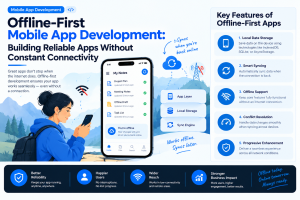
An offline-capable application primarily works online but provides selected functionality during connectivity problems.
An offline-first application assumes that local data and functionality are important parts of the architecture.
The right approach depends on the product.
A simple content application may only need cached information.
A field-service application may require extensive offline workflows.
Local Storage Becomes Important
Offline applications need somewhere to store information on the device.
Depending on the use case, local storage may contain:
- User preferences
- Recent records
- Drafts
- Cached content
- Pending actions
- Application state
However, sensitive information should not simply be stored locally without appropriate protection.
Security requirements should influence the storage architecture from the beginning.
Synchronization Is the Hard Part
Saving information locally is relatively straightforward.
The more difficult problem is synchronization.
Imagine an employee updates a customer record while offline.
At the same time, another employee changes that record on the server.
When the first device reconnects, the system needs to determine what should happen.
Possible strategies include:
- Last-write-wins
- Server priority
- User-assisted conflict resolution
- Field-level merging
- Version-based synchronization
The correct approach depends on the business workflow.
Give Users Visibility Into Sync Status
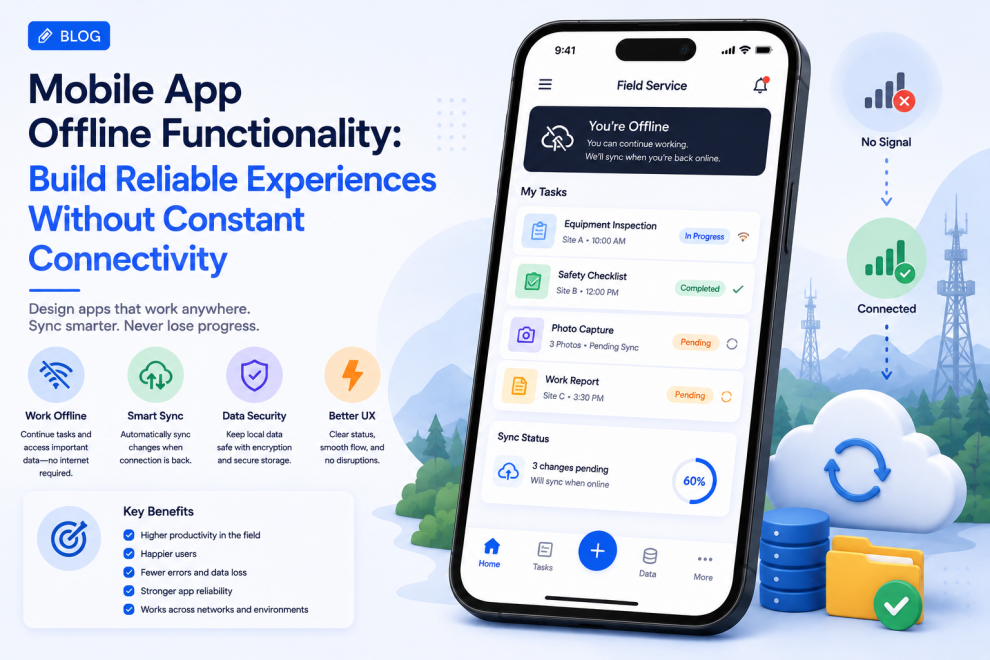
Users should understand whether their information has been synchronized.
Useful states include:
Saved locally
Waiting to sync
Syncing
Synced
Sync failed
This prevents users from assuming that information has already reached the server when it has not.
Design for Interrupted Actions
Connectivity can disappear at any moment.
For example, a user may be uploading a document when the network fails.
The application should determine whether to:
- Pause the upload
- Retry automatically
- Save the draft
- Ask the user to retry
- Continue processing locally
The experience should protect the user’s work wherever possible.
Background Synchronization
When connectivity returns, applications can synchronize pending information automatically.
A synchronization process may need to:
- Detect connectivity
- Identify pending changes
- Validate local data
- Send changes
- Resolve conflicts
- Update local records
- Confirm synchronization
This should happen without unnecessarily disrupting the user.
Push Notifications and Offline State
Notifications introduce another consideration.
A notification may arrive while the user is offline or while the application contains outdated local information.
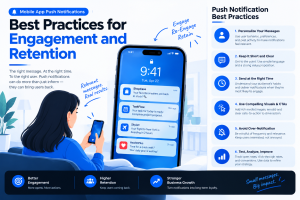
The application should be able to reconcile the notification with the latest server state once connectivity returns.
This is especially important for collaborative and workflow-driven applications.
Offline AI Can Be Useful
Some AI capabilities can potentially operate directly on the device.
Examples include:
- Text suggestions
- Classification
- Simple language processing
- Voice processing
- Image analysis
On-device processing can reduce dependence on network connectivity for suitable workloads.
However, larger AI models may still require cloud infrastructure.
Teams should decide which capabilities genuinely need offline operation.
Security Cannot Be Ignored
Offline functionality increases the amount of information that may exist on a device.
Teams should consider:
- Encryption
- Secure storage
- Authentication expiration
- Device access
- Data deletion
- Session management
- Synchronization security
Applications should also define what happens to locally stored information when a user’s access is revoked.
Test Real Offline Conditions
Offline functionality cannot be validated only by turning off Wi-Fi once.
Testing should cover:
- Complete network loss
- Slow networks
- Intermittent connectivity
- Network switching
- Application termination
- Device restart
- Duplicate synchronization
- Conflicting updates
- Interrupted uploads
Testing these situations helps uncover issues that normal development environments often miss.
Measure Offline Performance
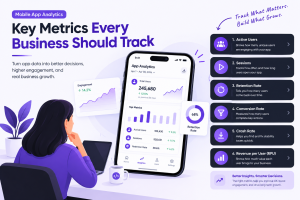
After launch, teams can monitor:
- Sync failures
- Retry frequency
- Offline session usage
- Conflict rates
- Data loss incidents
- Synchronization duration
- Failed uploads
These metrics can reveal whether offline functionality is actually helping users.
Architecture Should Support Synchronization
A scalable design generally separates:
UI → Local state → Synchronization layer → API → Backend
This makes it easier to manage local changes independently from network operations.
The synchronization layer becomes responsible for deciding what needs to be uploaded, downloaded, merged, or retried.
Conclusion
Reliable mobile applications cannot assume that connectivity will always be perfect.
For many products, offline functionality can improve resilience, productivity, and user trust.
The strongest implementations combine local storage, clear synchronization states, conflict resolution, secure data handling, background synchronization, and realistic network testing.
The goal is not necessarily to make every feature work offline.
It is to ensure that temporary connectivity problems do not unnecessarily interrupt important user workflows.



Add Comment