



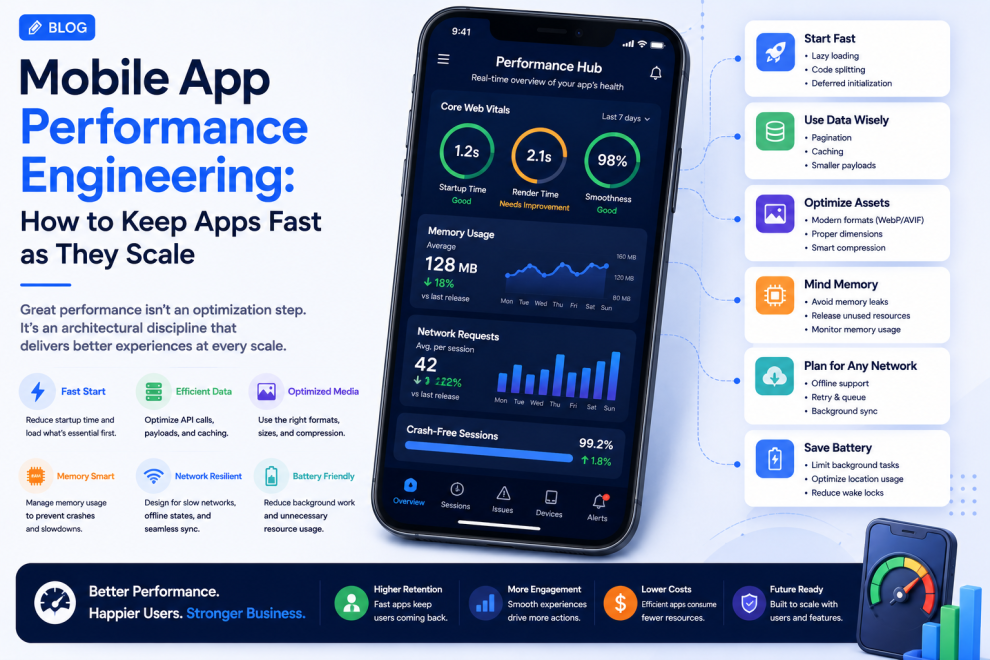

Mobile app performance is often treated as a technical optimization problem.
In reality, it is a product experience problem.
Slow startup, delayed interactions, excessive memory usage, battery drain, and unstable network behavior can directly affect how users perceive an application.
As mobile products become more sophisticated—with AI, real-time features, analytics, rich media, and background processing—performance engineering needs to become part of the architecture rather than a final optimization exercise.
Recent mobile development trends increasingly emphasize on-device processing, edge architecture, privacy, and efficient cross-platform development. At the same time, Android developers are facing stronger pressure to control memory consumption as device resources become more constrained.
Performance Begins Before Coding
Performance problems often originate during product planning.
A feature may require:
- Large datasets
- Multiple API calls
- Heavy images
- Real-time updates
- AI inference
- Background synchronization
If these requirements are not considered during architecture planning, optimization becomes more difficult later.
Teams should therefore ask performance questions during discovery.
How quickly should this screen load?
How much data does it really need?
What happens on a slow device?
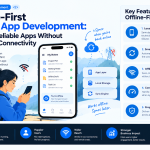
What happens when the network is unavailable?
These questions help establish realistic performance requirements.
App Startup Time Matters
Users form an impression of an application almost immediately.
A long startup sequence can create the perception that the entire application is slow.
Teams can improve startup performance by reducing unnecessary work during initialization.
Potential strategies include:
- Lazy loading
- Deferred initialization
- Smaller application bundles
- Efficient dependency loading
- Caching
- Background initialization
The objective is to display useful content as quickly as possible rather than loading every service before the first screen becomes interactive.
Avoid Loading Everything at Once
Large applications often contain many features.
That does not mean all of them need to be loaded immediately.
Instead, applications can load functionality progressively.
For example:
Launch → Core interface → Primary data → Secondary features
This approach reduces the amount of work required during the initial interaction.
It can also make the application feel faster even when the complete product is technically complex.
Memory Management Is Becoming More Important
Mobile devices have finite resources.
Excessive memory consumption can lead to slowdowns, instability, or application termination.
This is particularly important for applications that use:
- Large images
- Video
- Maps
- Complex animations
- AI models
- Large datasets
Google has recently introduced stronger Android performance requirements around memory usage, with developers encouraged to identify and reduce memory-heavy application behavior.
For engineering teams, memory should therefore be treated as an ongoing performance metric rather than an issue discovered after release.
Optimize Images and Media
Images are often one of the largest sources of unnecessary mobile resource usage.
Teams should consider:
- Appropriate image dimensions
- Compression
- Modern image formats
- Lazy loading
- Thumbnail generation
- Caching
- Responsive assets
An application should not download a large image when a smaller version is sufficient for the current screen.
Reduce Unnecessary API Requests
A mobile application can feel slow even when its frontend code is efficient if it constantly waits for backend responses.
API performance can be improved through:
- Request batching
- Pagination
- Caching
- Smaller payloads
- Efficient queries
- Local data storage
- Background synchronization
The application should request what the user needs rather than downloading an entire dataset every time a screen opens.
Design for Slow Networks
Fast Wi-Fi should not be the only testing environment.
Real users may experience:
- Weak cellular signals
- Network congestion
- High latency
- Temporary disconnections
- Network switching
A strong mobile application should remain understandable under these conditions.
Loading states, cached information, retry actions, and offline capabilities can prevent a slow connection from becoming a confusing user experience.
On-Device AI Changes the Performance Equation
AI features can introduce significant computational requirements.
On-device AI can provide advantages such as:
- Lower latency
- Reduced network dependency
- Greater privacy for suitable workloads
- Offline functionality
But local inference can also consume memory, processing power, and battery.
Teams should therefore determine which AI tasks genuinely benefit from running on the device.
For more demanding workloads, cloud or hybrid architectures may be more appropriate.
Current mobile development discussions increasingly position on-device and edge processing as important architectural options for latency-sensitive and offline scenarios.
Battery Usage Is Part of Performance
An application can be technically fast while still providing a poor experience if it drains the battery.
Potential causes include:
- Excessive background processing
- Frequent location updates
- Continuous network requests
- High-frequency synchronization
- Heavy animations
- Unnecessary sensor usage
Performance engineering should therefore include energy efficiency.
Sometimes doing less work is the best optimization.
Cross-Platform Apps Need Performance Monitoring Too
Cross-platform development can reduce duplicated engineering effort, but performance should still be evaluated on real devices.
Teams should monitor:
- Rendering performance
- Startup time
- Memory usage
- Native module behavior
- Animation smoothness
- API latency
- Battery impact
A shared codebase does not guarantee identical performance across platforms.
Performance testing needs to reflect the actual devices and operating systems supported by the product.
Monitor Performance After Launch
A development environment cannot reproduce every real-world condition.
Production telemetry can reveal:
- Slow screens
- Crash patterns
- Memory pressure
- Network failures
- Device-specific problems
- Performance regressions
Teams can then prioritize fixes based on actual user impact.
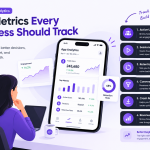
Useful metrics include:
App startup time
Screen rendering time
API latency
Crash-free sessions
Memory usage
Battery consumption
Network failure rate
Set Performance Budgets
Performance becomes easier to manage when teams define boundaries.
For example:
- Maximum initial payload
- Maximum image size
- Startup target
- API response target
- Memory threshold
- Maximum background activity
These targets create measurable engineering constraints.
They also prevent new features from gradually making the application slower.
Performance Should Be Part of CI/CD
Performance checks can be integrated into development pipelines.
A simplified process can be:
Code → Automated tests → Build → Performance checks → Device testing → Release
This makes performance regression easier to detect before users encounter it.
The objective is not to make every build perfectly optimized.
It is to prevent significant deterioration from going unnoticed.
A Practical Performance Framework
Before launching a major mobile feature, teams can evaluate:
| Area | Question |
|---|---|
| Startup | How quickly can users interact with the app? |
| Network | Does the feature work acceptably on weak connections? |
| Memory | How much device memory does it consume? |
| Media | Are images and videos optimized? |
| APIs | Are requests and payloads efficient? |
| AI | Should processing happen locally or in the cloud? |
| Battery | Does background activity consume unnecessary power? |
| Monitoring | Can performance problems be detected after release? |
This turns performance from a vague engineering objective into something measurable.
Industry Perspective
Mobile product engineering is increasingly treating performance as a combination of application architecture, backend efficiency, device constraints, AI processing, and user experience. Companies such as GeekyAnts have publicly shared work across mobile and product engineering, reflecting the broader shift toward building applications that remain reliable as features, users, and technical requirements increase.
Conclusion
A fast mobile application is not simply one with optimized code.
It is an application designed around efficient architecture, controlled resource usage, optimized APIs, realistic network conditions, responsible AI processing, and continuous performance monitoring.
Performance should therefore be considered from the first architectural decision through production operations.
The goal is not just to make an app fast at launch.
It is to make sure it stays fast as the product grows.



Add Comment