



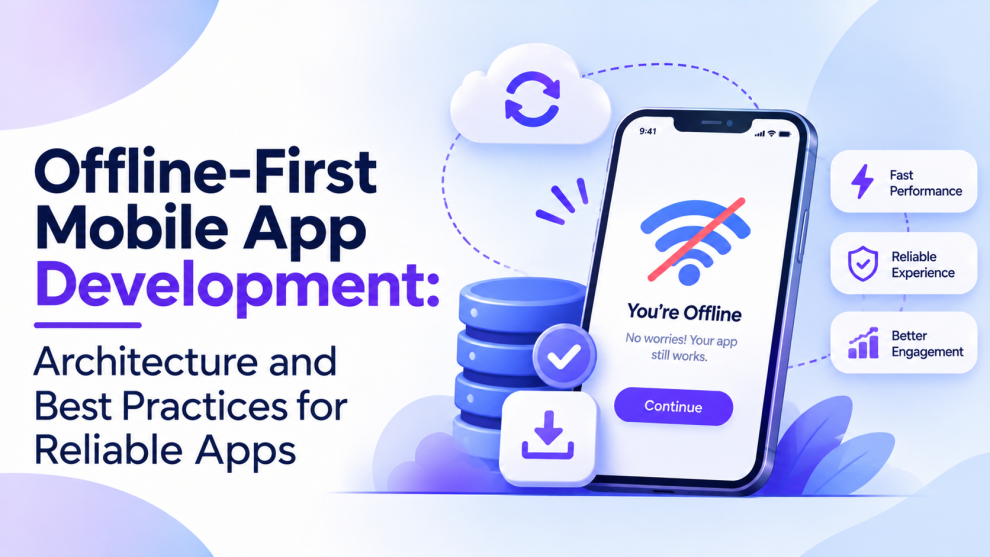

Mobile applications are expected to work whenever users need them. However, unreliable networks, limited connectivity, and temporary internet outages can interrupt even simple app interactions.
This creates a problem for applications that depend on constant communication with backend servers. A user may lose an unfinished form, fail to access important information, or be unable to complete a task because the network is unavailable.
Offline-first mobile app development addresses this challenge by making essential app functionality available even without an active internet connection.
What Is Offline-First Mobile App Development?
Offline-first development is an approach in which applications prioritize local data access and functionality rather than depending on the server for every interaction.
The app stores relevant information on the device, processes supported actions locally, and synchronizes changes with backend services when connectivity returns.
For example, a field-service employee can record maintenance details while working in an area without internet access. Once the device reconnects, the application synchronizes those updates with the central system.
Why Offline-First Architecture Matters in 2026
Mobile applications increasingly support business-critical activities across logistics, healthcare, retail, travel, and field operations.
In these environments, network interruptions can affect productivity and customer experience.
Offline-first architecture offers several benefits:
- Better reliability: Users can continue supported tasks during connectivity issues.
- Faster interactions: Locally stored information can be accessed without waiting for network responses.
- Improved productivity: Users can complete important workflows in areas with limited coverage.
- Better user experience: Temporary network failures do not necessarily interrupt the entire application.
- Reduced unnecessary requests: Local caching can reduce repeated data retrieval.
However, offline functionality needs careful planning, particularly when applications handle sensitive or frequently changing information.
6 Best Practices for Building Offline-First Mobile Apps
1. Store Essential Data Locally
Local storage allows applications to display previously downloaded information and save user actions without an internet connection.
Common options include SQLite, Room for Android, and Core Data or SwiftData for Apple platforms.
Developers should identify which information needs offline availability and define how long it should remain stored.
Sensitive information must be protected through appropriate encryption, access controls, and retention policies.
2. Implement Reliable Background Synchronization
Synchronization connects local application data with backend services.
When connectivity becomes available, the app should identify pending changes and send them to the server without requiring users to repeat their actions.
A reliable synchronization process should account for:
- Interrupted network requests.
- Duplicate submissions.
- Failed synchronization attempts.
- Retry policies and backoff strategies.
- Server acknowledgments.
- Data consistency between devices.
Users should also be able to understand whether their changes are saved locally or successfully synchronized.
3. Handle Data Conflicts Properly
One of the biggest challenges in offline-first development is managing conflicting updates.
Imagine two employees editing the same customer record on different devices while offline. When both devices reconnect, the application must determine which information should be retained.
Possible strategies include:
- Last-write-wins for suitable low-risk data.
- Version-based conflict detection.
- Field-level merging.
- Manual conflict resolution for important records.
The right approach depends on the business workflow and the consequences of overwriting information.
4. Design Clear Offline User Experiences
Offline functionality should be visible and understandable.
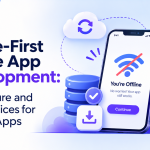
Users should know when they are disconnected, whether their changes have been saved locally, and whether synchronization is pending.
Useful interface patterns include:
- An offline status indicator.
- A pending synchronization label.
- Clear confirmation after local saves.
- Retry options for failed updates.
- Notifications when synchronization completes.
Avoid displaying misleading success messages when an action has only been saved locally and not yet confirmed by the server.
5. Test Different Network Conditions
Testing an offline-first application requires more than switching off Wi-Fi.
Teams should test slow connections, intermittent connectivity, repeated disconnections, airplane mode, and transitions between offline and online states.
They should also test what happens when the app is closed or the device restarts while unsynchronized changes remain.
Real-device testing helps identify issues involving storage, background execution, battery consumption, and platform restrictions.
6. Protect Data During Offline Usage
Offline access can create additional security considerations because information remains stored on the device.
Development teams should evaluate encrypted local storage, secure authentication, session expiration, device-level protections, and remote data invalidation where appropriate.
Applications handling financial, medical, or enterprise information should also define which actions are permitted offline and which require server-side validation.
Technologies Used for Offline-First Development
Several technologies can support offline-first mobile architecture:
| Technology | Typical use |
|---|---|
| SQLite | Local relational data storage |
| Android Room | Structured Android database access |
| Core Data / SwiftData | Apple platform data persistence |
| Flutter | Cross-platform mobile development |
| React Native | Cross-platform mobile development |
| Background task APIs | Deferred synchronization |
| REST APIs | Communication with backend services |
Framework selection should depend on application complexity, data requirements, platform capabilities, and long-term maintenance needs.
Which Industries Benefit from Offline-First Apps?
Logistics and transportation: Drivers can record deliveries, update shipment details, and access route information in areas with weak connectivity.
Healthcare: Authorized healthcare workers can access selected patient information and record supported activities in low-connectivity environments, subject to appropriate privacy and synchronization safeguards.
Retail: Store employees can access product information, manage selected inventory tasks, and continue supported workflows during network interruptions.
Travel: Travelers can access saved tickets, itineraries, and essential booking information without depending on continuous internet access.
Field services: Technicians can complete inspection forms, capture service details, and synchronize reports later.
How to Choose the Right Offline-First Strategy
Not every application needs complete offline functionality.
Before implementation, product and engineering teams should identify critical user journeys, determine which data needs local availability, and define what actions can safely happen without server confirmation.
For example, reading previously downloaded information may be straightforward, while approving payments or changing sensitive account permissions may require an online connection and server-side validation.
Mobile engineering teams, including GeekyAnts, need to consider data synchronization, application architecture, security, and user experience together when developing these products.
Final Thoughts
Offline-first development is not simply about storing data on a device. It is about ensuring that users can continue important tasks even when connectivity disappears.
By combining local data storage, reliable synchronization, conflict resolution, and clear interface feedback, businesses can build mobile applications that remain useful in real-world conditions.



Add Comment