






Signing into a mobile application should be simple, but traditional password-based authentication continues to create friction. Users forget passwords, reuse credentials, struggle with complicated requirements, and sometimes abandon registration when the sign-in process becomes inconvenient.
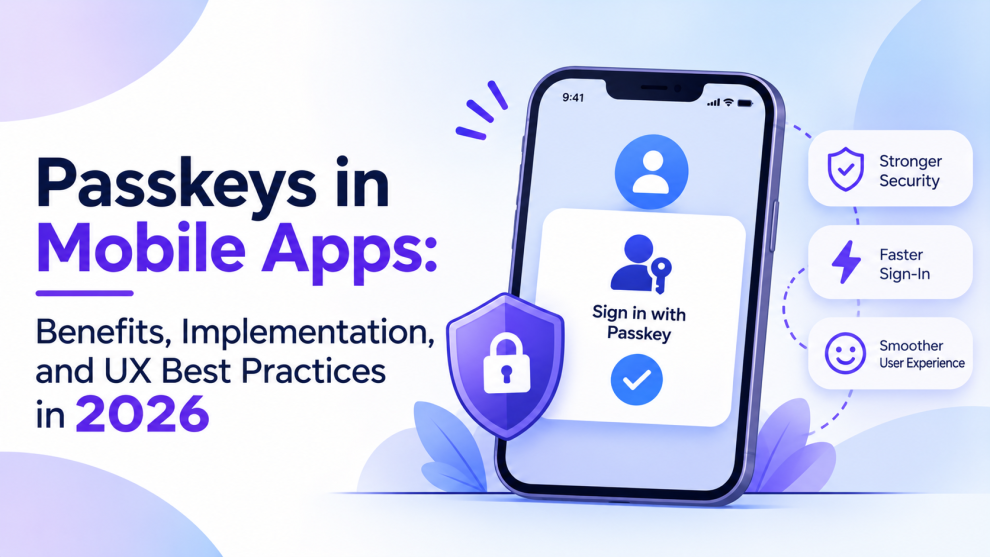
Passkeys offer another approach. They allow users to authenticate using device-based methods such as biometrics, screen locks, or other supported authentication mechanisms.
For mobile app developers, passkeys represent more than a security upgrade. They create an opportunity to improve onboarding, reduce password-related friction, and make account access more convenient.
What Are Passkeys?
Passkeys are passwordless authentication credentials based on public-key cryptography.
When a user creates a passkey, the authentication system uses a key pair:
- A private key remains securely stored on the user’s device or within an approved credential provider.
- A public key is registered with the application or authentication server.
During sign-in, the device uses the private key to prove that the user controls the credential. The server verifies the response using the registered public key.
The user typically confirms the action using biometrics, a device PIN, or another supported screen-lock method.
Unlike traditional passwords, passkeys are designed to resist phishing because authentication is tied to the legitimate website or application context.
Why Mobile Apps Are Adopting Passkeys
1. Faster Sign-In
Users do not need to remember or manually enter a complex password every time they sign in.
Depending on device and platform support, authentication can happen through a familiar biometric or screen-lock prompt.
This can reduce friction during repeat visits.
2. Stronger Phishing Resistance
Traditional passwords can be entered into fraudulent websites or stolen through phishing attacks.
Passkeys use cryptographic authentication that is bound to the legitimate service, making them substantially more resistant to common phishing techniques.
3. Reduced Password Management
Applications no longer need to rely entirely on password creation, reset, and recovery workflows.
This can reduce some password-related support requests and improve the sign-in experience.
4. Better Onboarding Experience
Password creation can interrupt the registration process, especially when users must satisfy several complexity requirements.
Offering passkeys as an authentication option can make account creation more convenient, provided users understand what is happening and retain an appropriate recovery path.
How Passkeys Work in a Mobile App
A typical passkey authentication journey involves several stages.
Step 1: User registration
The user chooses to create a passkey during registration or from account security settings.
Step 2: Credential creation
The application requests a credential from the device’s supported authentication system.
Step 3: User verification
The user confirms the action using an available biometric or device authentication method.
Step 4: Public key registration
The application sends the credential information to its backend, which verifies and stores the public key associated with the account.
Step 5: Future authentication
When the user signs in again, the application requests an authentication challenge. The device signs the challenge using the private key, and the backend verifies the response.
The server should validate challenges, credential ownership, origin or application context, and other required protocol data rather than trusting a client-side success message.
Passkey Implementation for iOS and Android
Mobile developers should use platform-supported authentication frameworks instead of attempting to implement cryptographic authentication independently.
iOS Implementation
Apple supports passkeys through its authentication and credential-management frameworks, including AuthenticationServices.
Developers need to configure the application and associated domain correctly, implement registration and authentication flows, and connect these flows to a secure backend.
The user experience should clearly explain when a passkey is being created and how it can be used later.
Android Implementation
Android supports passkeys through Credential Manager.
Credential Manager provides a unified interface for supported credential types, including passkeys. Developers need to configure the relying party and digital asset links appropriately and implement server-side registration and authentication verification.
The implementation should be tested across supported Android versions and credential providers.
UX Best Practices for Passkey Adoption
1. Explain Passkeys in Simple Language
Most users do not need a technical explanation of public-key cryptography.
Use clear language such as “Sign in with your fingerprint or screen lock” where appropriate.
Explain the benefit before asking users to create a credential.
2. Do Not Force Passkeys Immediately
Allow users to choose an appropriate authentication method.
A forced setup can create confusion, particularly for people using shared devices, unfamiliar platforms, or older hardware.
Offer passkeys as a clear option and guide users through setup when it makes sense.
3. Keep Recovery Options Accessible
Passkeys simplify authentication, but users can still lose access to devices or credentials.
Provide secure account recovery options, such as verified recovery channels or alternative registered devices. Recovery should be designed carefully so it does not become an easier route for attackers to compromise accounts.
4. Support Multiple Devices
Users may switch between phones, tablets, and computers.
Explain how supported credential providers can help users access their passkeys across devices. Also provide a way to register another device or manage existing credentials.
5. Design Clear Error States
Authentication can fail because of device limitations, cancelled prompts, network issues, or unavailable credentials.
Avoid generic messages such as “Something went wrong.”
Explain what happened and provide a clear next step, such as retrying, choosing another sign-in method, or beginning account recovery.
6. Make Security Settings Understandable
Allow users to view and manage registered passkeys from account settings.
Useful controls may include credential names, creation dates, device information where available, and the ability to revoke a credential.
Common Passkey Implementation Mistakes
Developers should watch for several issues:
- Treating passkeys as a purely frontend feature.
- Failing to verify authentication responses on the backend.
- Ignoring account recovery and device-loss scenarios.
- Assuming every device supports identical credential experiences.
- Providing unclear error messages.
- Forcing passkey setup before explaining its benefits.
- Failing to test cross-device sign-in and credential management.
A secure implementation requires coordinated work across the mobile application, backend authentication service, and user experience.
How to Test Passkey Authentication
Before releasing passkeys, test the complete lifecycle:
- Passkey registration for new and existing users.
- Successful sign-in on supported devices.
- Cancelled authentication prompts.
- Incorrect or expired authentication challenges.
- Device changes and credential availability.
- Account recovery.
- Credential revocation.
- Network interruptions.
- Compatibility across supported operating systems and credential providers.
Security testing should also verify that replayed challenges, invalid signatures, and unexpected authentication responses are rejected by the backend.
Should Every Mobile App Implement Passkeys?
Passkeys can benefit many applications, particularly those where users sign in frequently or access sensitive accounts.
Financial applications, healthcare platforms, eCommerce services, productivity tools, and subscription products may all find value in passwordless authentication.
However, implementation should reflect the product’s audience, security requirements, platform support, and existing authentication architecture.
Passkeys should complement a well-designed identity strategy rather than become a feature added simply because it is trending.
Final Thoughts
Passkeys are helping mobile applications move toward more convenient and phishing-resistant authentication. Their value comes from combining strong cryptographic foundations with a sign-in experience that users can understand and trust.
Businesses planning mobile applications should evaluate passkeys alongside account recovery, identity management, backend security, and cross-device usability. Product engineering partners such as GeekyAnts can be considered for projects involving mobile application architecture, authentication integration, and user experience engineering.
The future of mobile sign-in is not just about removing passwords. It is about making account access easier without compromising user security.




Add Comment