

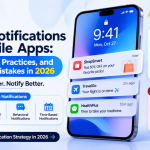
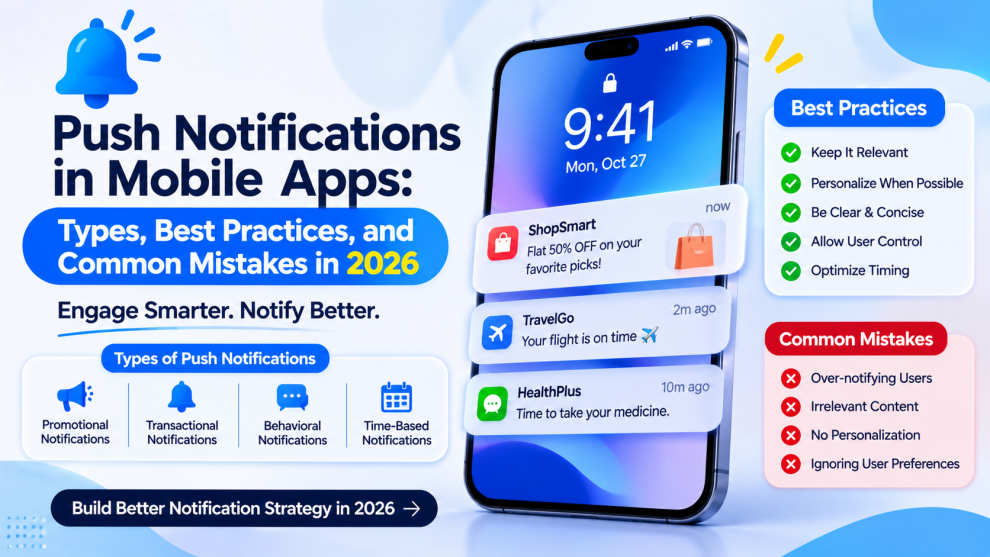

Push notifications have become an important part of mobile app communication. They help businesses share order updates, remind users about unfinished activities, announce relevant offers, and deliver time-sensitive information.
However, sending more notifications does not automatically improve engagement. Poorly timed alerts, irrelevant promotions, and excessive reminders can frustrate users and encourage them to disable notifications or uninstall an application.
In 2026, successful mobile apps need a notification strategy that prioritizes relevance, timing, personalization, and user control.
What Are Push Notifications in Mobile Apps?
Push notifications are messages delivered to a user’s device by an application or service, even when the app is not actively being used.
They can appear on a device’s lock screen, notification center, or as banners, depending on operating system settings and user preferences.
Mobile apps commonly use push notifications to communicate:
- Order confirmations and delivery updates.
- Payment and account activity alerts.
- Appointment reminders.
- New messages and social interactions.
- Personalized recommendations.
- Important service announcements.
Unlike in-app messages, push notifications can reach users outside the active application experience.
1. Transactional Push Notifications
Transactional notifications communicate important actions or changes.
For example, an eCommerce app can notify customers when an order is confirmed, shipped, or delivered. A banking app can alert users about account activity.
These notifications should prioritize accuracy, clarity, and timely delivery. Avoid unnecessary promotional content in messages users expect to be operational.
2. Promotional Push Notifications
Promotional notifications inform users about discounts, new products, special events, or limited-time offers.
For example, a shopping app might notify users about a sale on products they have previously explored.
Promotional alerts should be based on user preferences and genuine relevance. Sending the same offer to every user can reduce engagement and increase notification opt-outs.
3. Reminder Notifications
Reminder notifications encourage users to complete an activity.
Fitness apps may remind users about scheduled workouts, while productivity apps can notify users about upcoming tasks.
Effective reminders should reflect user behavior and preferences. Give users control over reminder frequency and allow them to adjust schedules.
4. Personalized Notifications
Personalized notifications use relevant user information, preferences, or activity to make messages more useful.
A travel application might share updates about a saved destination, while a streaming app may notify users about new content that matches their interests.
Personalization should be transparent and respectful. Avoid using sensitive information or creating messages that feel intrusive.
5. Location-Based Notifications
Location-based notifications are triggered by a user’s geographic context, when the user has granted the necessary permissions.
For example, a travel app may provide useful information near a booked destination, or a retail app may share a relevant store update.
Businesses should request location permissions only when there is a clear user benefit. Location access should never be treated as automatic consent for unrestricted marketing.
Best Practices for Push Notification Design
1. Ask for Permission at the Right Time
Avoid requesting notification permission immediately after installation without explaining the benefit.
First show users why notifications are useful. For example, a delivery app can explain that alerts will provide order updates.
The permission request should feel connected to a feature the user understands.
2. Write Clear and Concise Messages
Users often scan notifications quickly.
Use straightforward language that explains what happened or what action is available. Avoid vague promotional messages that provide little context.
3. Send Notifications at Appropriate Times
Timing affects whether a notification is helpful or disruptive.
Consider user time zones, activity patterns, scheduled preferences, and the urgency of the message. Avoid sending non-essential alerts during inconvenient hours.
4. Segment Users by Behavior
Not every user needs the same message.
Segment audiences using relevant activity, preferences, and lifecycle stages. A new user may need onboarding guidance, while a returning customer may benefit from an update related to a recent interaction.
Segmentation should use only appropriate data and respect privacy choices.
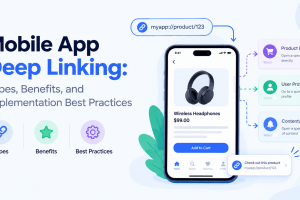
5. Provide Useful Deep Links
A notification should take users to the relevant screen rather than simply opening the app’s home page.
For example, an order update should open the order details page. A new message alert should take users to the conversation.
Deep links reduce unnecessary navigation and make notifications more actionable.
6. Give Users Notification Controls
Allow users to manage notification categories, frequency, and preferences where appropriate.
Some users may want transaction updates but not marketing messages. Others may prefer weekly summaries rather than individual reminders.
Giving users meaningful control can improve trust and reduce opt-outs.
7. Measure Performance
Track more than notification delivery.
Useful metrics include:
- Delivery rate.
- Open or click-through rate.
- Conversion rate.
- Opt-out rate.
- App retention.
- Uninstall trends following notification campaigns.
Evaluate these metrics by notification type and audience segment to identify which messages provide genuine value.
Common Push Notification Mistakes
Even well-designed apps can damage user experience through poor notification practices.
Some common mistakes include:
- Sending too many notifications in a short period.
- Using generic messages without context.
- Sending promotional alerts without clear user consent.
- Ignoring local time zones.
- Linking notifications to irrelevant screens.
- Repeating information already visible inside the app.
- Failing to test notifications across operating systems and devices.
A notification should have a clear purpose. If it does not help the user understand something important or complete a useful action, it may not need to be sent.
Push Notification Technology and Integration
Mobile applications commonly use platform notification services such as Apple Push Notification service (APNs) and Firebase Cloud Messaging (FCM).
A typical implementation involves:
- Registering the device and obtaining a notification token.
- Managing notification permissions.
- Connecting the application to a notification service.
- Sending messages from a backend system.
- Handling notification interactions and deep links.
- Monitoring delivery and engagement.
The implementation should account for token updates, invalid registrations, retries, user preferences, and security.
Teams should also test foreground, background, and terminated-app behavior. Notification presentation and permissions can differ across iOS and Android versions.
How AI Is Changing Mobile App Notifications
AI can help mobile applications improve notification relevance by analyzing appropriate behavioral signals, identifying useful moments, and supporting message personalization.
For example, a fitness app could recommend a reminder schedule based on a user’s chosen workout routine. A travel app could provide contextual updates related to an upcoming journey.
However, AI-generated notifications should be reviewed for accuracy, privacy, and tone. Personalization should improve the experience rather than make users feel monitored.
Final Thoughts
Push notifications are most effective when they provide timely, relevant information and respect user preferences. A strong strategy combines thoughtful messaging, audience segmentation, deep linking, privacy-conscious data practices, and ongoing performance measurement.
Businesses developing notification-driven products should consider these requirements early in the engineering process. Mobile product development partners such as GeekyAnts can help teams bring together application architecture, backend integrations, and user experience to create more connected mobile products.
The objective is not to send more notifications. It is to make every notification worth receiving.



Add Comment