

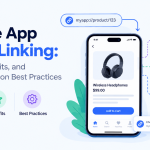


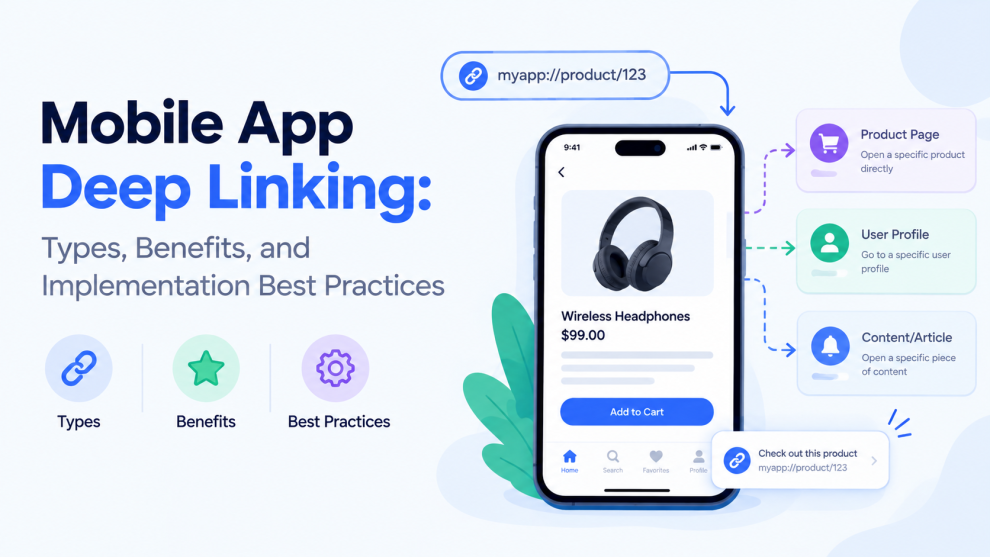

Mobile apps often need to take users directly to specific content rather than making them navigate through multiple screens. A shopping app may need to open a particular product, a banking app may need to display a transaction, or a travel app may need to show a booking.
Deep linking makes these experiences possible by connecting a link to a specific destination inside an application.
For businesses investing in mobile app development, deep linking can improve navigation, support marketing campaigns, simplify user journeys, and connect experiences across websites, emails, notifications, and mobile applications.
However, effective implementation requires careful planning around platform behavior, authentication, fallback experiences, and link security.
What Is Deep Linking in Mobile Apps?
Deep linking is a technique that allows a URL or another supported link to open a specific screen or resource within a mobile application.
Without deep linking, users who click a link may land on the app’s home screen and need to find the intended content themselves.
With deep linking, a user clicking a link to a particular product can open that product’s detail page directly, provided the app is installed and the link is configured correctly.
For example, a shopping application could use a link such as:
https://example.com/products/running-shoes
When configured for the app, the link can open the relevant product screen instead of requiring users to search for the item again.
Deep linking is useful for mobile commerce, financial services, travel, media, social networking, healthcare, and productivity applications.
Types of Mobile App Deep Linking
Not all deep links behave the same way. The appropriate approach depends on whether the app is installed, how the destination is identified, and whether the link needs to preserve context across installation.
1. Traditional Deep Links
Traditional deep links use a custom URL scheme or an app-specific link to open a particular screen.
For example, an application might use a custom scheme to open a specific article or profile.
Benefits:
- Direct navigation to in-app content.
- Simple routing for supported scenarios.
- Useful for links generated and handled within an app ecosystem.
Limitations:
- A custom scheme may not work if the app is not installed.
- Another application could potentially register the same custom scheme.
- Behavior can vary depending on the operating system and the way the link is opened.
Traditional deep links are best used with appropriate validation and fallback behavior rather than as the only link-handling strategy.
2. Universal Links on iOS
Universal Links allow supported HTTPS URLs to open their associated iOS application when the required configuration is in place.
For example, a user clicking a link to a specific article may be taken directly to that article in the installed app.
Universal Links rely on an association between the website and the application. Developers must configure the relevant app entitlement and publish the associated domain file on their website.
Key benefits:
- Uses standard HTTPS URLs.
- Can provide a web fallback when the app is unavailable or the link opens in a context where the app is not launched.
- Supports a more consistent connection between website content and app content.
Developers should test Universal Links across supported iOS versions and real navigation scenarios.
3. Android App Links
Android App Links associate verified website domains with Android applications. When configured correctly, supported links can open directly in the relevant app.
This requires the appropriate application intent filters and domain verification configuration.
Key benefits:
- Connects web URLs to specific app destinations.
- Helps reduce ambiguity when multiple applications could handle a link.
- Supports direct navigation from external content into the app.
Developers should test domain verification, link routing, and fallback behavior across supported Android versions.
4. Deferred Deep Links
Deferred deep linking aims to preserve a user’s intended destination even when the application is not installed at the time the link is clicked.
For example, a user may click a referral link, install the app, and then be taken to the intended content after launching it.
Deferred deep linking often depends on additional attribution or linking infrastructure, and implementation details vary by platform and provider.
Because installation flows and attribution capabilities can change, developers should verify the current behavior of their chosen solution rather than assuming that every deep-linking service supports every scenario.
Benefits of Deep Linking for Mobile Applications
1. Better User Experience
Deep links reduce the number of steps required to reach relevant content. Users can move from a notification, email, or website directly to the intended screen.
This is especially useful when the destination is buried within a complex application.
2. Improved Campaign Conversion
Marketing campaigns can send users to a specific offer, product, or feature instead of the app’s home screen.
A more relevant destination can reduce friction between discovering an offer and completing the intended action.
3. More Effective Push Notifications
Push notifications become more useful when they open the exact content referenced in the message.
For example, a delivery notification can lead to an order-tracking screen, while a travel notification can open a booking itinerary.
4. Better Referral Experiences
Referral links can direct users to a particular product, invitation, or onboarding flow. Where deferred linking is supported, the intended destination may be preserved through installation.
5. Improved Cross-Channel Continuity
Users often move between websites, emails, social platforms, and apps. Deep linking helps maintain continuity across these channels by connecting external content with the relevant in-app experience.
6. More Useful Campaign Measurement
When links include appropriately managed campaign parameters and analytics events, teams can measure how users move from a campaign to a destination and subsequent actions.
Tracking should be designed carefully to avoid exposing sensitive information in URLs or analytics systems.
Deep Linking Implementation Best Practices
1. Define a Consistent URL Structure
Start by defining how URLs map to application destinations.
For example:
/products/product-id/orders/order-id/articles/article-slug/profile/profile-id
Use a predictable structure that supports current requirements without making routing unnecessarily complex.
The identifiers included in URLs should not expose confidential information, and the backend must verify that users are authorized to access the requested resource.
2. Configure Platform-Specific Linking
For iOS, configure Universal Links and the required domain association.
For Android, configure verified App Links and the relevant intent filters.
If custom schemes are also required, define how they interact with HTTPS links and avoid assuming that a custom scheme is unique or inherently trusted.
3. Design Fallback Experiences
Not every user will have the app installed, and not every environment will open the app automatically.
Provide an appropriate fallback, such as a relevant web page, an app-store destination, or clear instructions.
The fallback should preserve the context of the original link whenever practical. Sending every user to a generic homepage can undermine the benefit of deep linking.
4. Handle Authentication and Permissions
A user may click a deep link to a protected screen without being signed in.
Instead of failing or showing an unrelated page, the application should guide the user through authentication and then return them to the intended destination when appropriate.
The application must also verify access permissions after authentication. A valid link must never be treated as proof that the user is authorized to view the linked content.
5. Validate Parameters and Destinations
Deep links can contain identifiers, query parameters, and navigation instructions. Treat these values as untrusted input.
Validate expected parameters, reject malformed values, and avoid executing sensitive actions merely because a URL requests them.
For high-impact operations, require appropriate confirmation and server-side authorization.
6. Keep the App and Web Destinations Consistent
If a link refers to a product, article, or booking, the in-app destination should correspond to the same content.
Avoid situations where a web link advertises one offer but opens a different screen in the app. Consistency helps maintain user trust and reduces confusion.
7. Test Across Real User Journeys
Test deep links in scenarios such as:
- The application is installed and the user is signed in.
- The application is installed but the user is signed out.
- The application is not installed.
- The link is opened from an email or browser.
- The destination content is unavailable or has been removed.
- The user does not have permission to access the destination.
- The application is already running in the background.
Testing these situations helps uncover routing problems that may not appear during basic development testing.
8. Monitor Link Performance
Track meaningful events such as link opens, successful destination loads, authentication completion, and downstream conversions.
Use these metrics to identify broken links, confusing journeys, or campaign destinations that fail to meet user expectations.
Avoid collecting unnecessary personal information in URL parameters or analytics events.
Common Deep Linking Mistakes to Avoid
Ignoring app-not-installed scenarios: A link that works only for existing users may fail to serve new users effectively.
Sending users to the wrong screen: Incorrect route mapping creates friction and can reduce confidence in the application.
Skipping access control: Deep links must not bypass authentication, authorization, or server-side validation.
Relying only on custom URL schemes: Custom schemes may have conflicts and do not provide the same verified-domain behavior as Universal Links or Android App Links.
Failing to test across platforms: iOS and Android handle link associations differently, and browser or app behavior can vary.
Using sensitive information in URLs: Links may be logged, copied, shared, or exposed through analytics. Avoid placing secrets or sensitive personal data in them.
Overlooking content changes: A destination may no longer exist or may have moved. Applications should provide a useful fallback when a route cannot be resolved.
Deep Linking and Mobile App Analytics
Deep linking can support more accurate measurement of user journeys, but analytics should focus on meaningful outcomes rather than link clicks alone.
Consider tracking the following:
- Link open rate: The proportion of delivered or displayed links that users open, where reliable measurement is available.
- Destination success rate: The percentage of link opens that reach the intended screen.
- Authentication completion: How often users finish sign-in after opening a protected destination.
- Conversion rate: The proportion of users who complete the intended action after arriving.
- Fallback rate: How often users are directed to a web or store destination instead of the intended in-app screen.
Define event names and attribution rules consistently across the app, website, and analytics tools. Account for privacy requirements and platform restrictions when measuring attribution.
How to Choose a Deep Linking Strategy
The best implementation depends on the app’s platform, audience, and use cases.
For most modern applications that have corresponding web content, verified HTTPS links are a strong starting point: Universal Links for iOS and Android App Links for Android.
Traditional custom schemes can still be useful for specific integrations, but they should be implemented with appropriate validation and fallback behavior.
Deferred deep linking may be useful for referral campaigns or installation flows, but businesses should verify the capabilities, pricing, attribution limitations, and current platform support of any external provider they plan to use.
For cross-platform apps, teams should also define a shared routing model while accounting for platform-specific configuration and behavior.
Final Thoughts
Deep linking helps mobile applications connect users directly to relevant content from websites, campaigns, emails, and notifications. When implemented correctly, it reduces navigation friction, improves continuity between channels, and supports better measurement of user journeys.
Successful implementation requires more than making a URL open an app. Development teams need consistent routing, verified platform configuration, secure parameter handling, authentication-aware navigation, and reliable fallback experiences.
By planning these details early, businesses can create mobile applications that are easier to navigate and better connected to the digital experiences surrounding them.
Frequently Asked Questions
What is deep linking in a mobile app?
Deep linking allows a URL or supported link to open a specific screen or piece of content inside a mobile application.
What is the difference between deep links and Universal Links?
Traditional deep links often use custom URL schemes. Universal Links use associated HTTPS domains to connect website URLs with iOS applications.
What are Android App Links?
Android App Links are verified website links associated with an Android application. They help supported URLs open the intended app destination when configured correctly.
Does deep linking work if the app is not installed?
A regular deep link may not open the intended screen if the app is missing. A web fallback can provide an alternative, while deferred deep linking may preserve the intended destination through installation when the chosen solution supports it.
Is deep linking secure?
Deep linking can be implemented securely, but developers must validate link parameters and enforce authentication and authorization. Opening a link should never automatically grant access to protected data.
Why is deep linking important for mobile app marketing?
It can connect campaigns directly to relevant product pages or in-app features, reduce navigation steps, and help teams measure user journeys and conversions.




Add Comment