



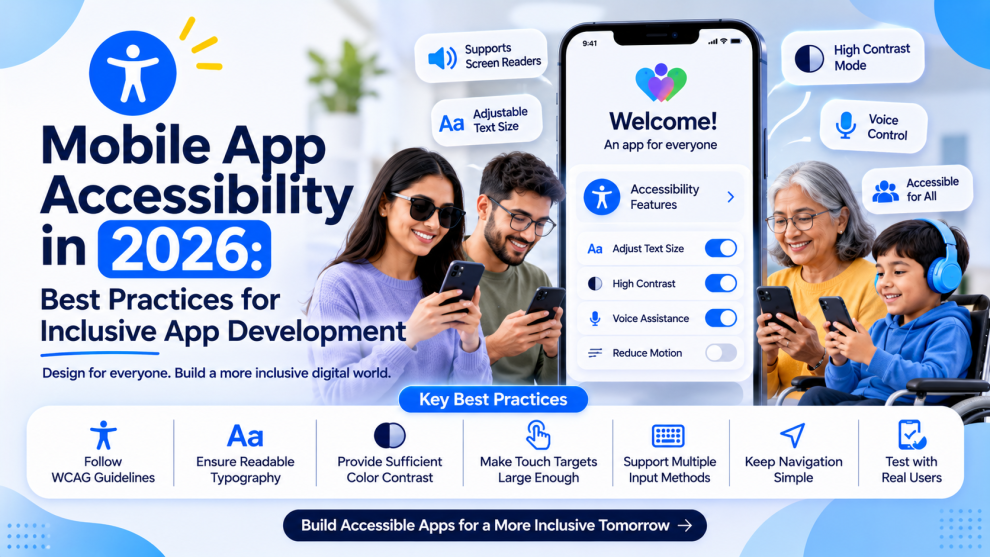

Mobile apps are used by people with different abilities, devices, and interaction preferences. Yet accessibility is still sometimes treated as a final testing step rather than an essential part of app development.
Building accessible mobile applications means making sure users can navigate, understand, and interact with an app regardless of how they access it.
Why Mobile Accessibility Matters
Accessibility improves usability for people with visual, hearing, motor, and cognitive disabilities. It can also make apps easier to use in everyday situations, such as navigating outdoors, using a phone with one hand, or reading content in bright sunlight.
For businesses, accessible design can expand audience reach and create a more consistent user experience.
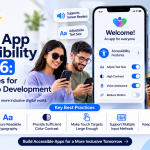
6 Mobile App Accessibility Best Practices
1. Support Screen Readers
Use meaningful accessibility labels for buttons, icons, images, and form fields. Test important flows with VoiceOver on iOS and TalkBack on Android.
2. Maintain Text Readability
Choose readable font sizes, sufficient color contrast, and layouts that adapt to larger system text settings.
3. Make Touch Targets Comfortable
Interactive elements should have enough space to reduce accidental taps. Avoid placing important controls too close together.
4. Provide Alternatives to Visual and Audio Content
Include captions for videos, text alternatives for meaningful images, and visual feedback for important audio notifications.
5. Design Accessible Forms
Use clear labels, understandable error messages, logical focus order, and input assistance. Users should be able to identify and correct mistakes easily.
6. Test Accessibility Throughout Development
Include accessibility checks during design reviews, development, and QA. Test on real devices and with assistive technologies rather than relying only on automated tools.
Accessibility Across iOS and Android
Both platforms provide built-in accessibility capabilities, but implementation details can differ.
- iOS: Support VoiceOver, Dynamic Type, accessible controls, and system accessibility settings.
- Android: Support TalkBack, scalable text, semantic UI elements, and accessible touch interactions.
Cross-platform frameworks such as React Native and Flutter also provide accessibility APIs, but developers still need to test platform-specific behavior.
The Business Value of Accessible Apps
Accessibility is not just a compliance consideration. It can improve product usability, reduce interaction barriers, and help businesses serve a wider audience.
Development teams, including GeekyAnts, can incorporate accessibility considerations into the product design and engineering process instead of treating them as last-minute fixes.
Final Thoughts
Accessible mobile apps create better experiences for more people. By integrating accessibility into design, development, and testing from the beginning, businesses can build applications that are more usable, inclusive, and dependable.



Add Comment