



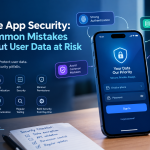

Building a secure mobile app isn't just a best practice anymore—it's a matter of survival. We’ve moved past the days when security was a last-minute checkmark. Now, it has to be woven into the very fabric of your development process, from the first line of code to the final deployment and beyond.
Failing to do this doesn't just create technical debt; it invites financial loss, shatters user trust, and can seriously damage your brand's reputation.
The High Cost of Cutting Corners
Years ago, security was often treated as an afterthought, something to be bolted on just before launch. That approach is now dangerously outdated. A vulnerable app is a direct threat to your business, plain and simple. The conversation in every planning meeting has shifted from "Can we add security later?" to "How are we building security in from day one?"
This isn't just paranoia; it's a response to very real, very expensive risks. The numbers speak for themselves. Let's look at some recent data to understand the scale of the problem.
Mobile App Vulnerability Snapshot (2026 Data)
This table highlights just how widespread mobile app vulnerabilities have become.
| Metric | Statistic |
|---|---|
| Apps with at least one vulnerability | 85% of all public mobile apps |
| Average cost of a mobile breach | Projected to hit $6.99 million by 2026 |
| Average cost in healthcare (HIPAA) | $7.42 million due to compliance failures |
| Common flaw found | 76% of apps have improper data storage issues |
These figures show that overlooking security is a high-stakes gamble most companies simply can't afford. The potential for a massive financial hit is just too great.
Damage Goes Beyond the Balance Sheet
While a multi-million dollar price tag is enough to get anyone's attention, the damage from a security breach rarely stops there. The fallout can poison your brand's reputation in ways that are difficult, if not impossible, to reverse.
Think about the chain reaction a single breach can cause:
- Erosion of Trust: Once users feel their data isn't safe, they're gone. High churn and low adoption rates are the natural result of an app perceived as insecure.
- Reputational Tarnish: Bad news travels fast. A public breach can stain your company’s image, making it harder to attract new customers, partners, and even talent.
- Operational Gridlock: Cleaning up after an incident is an all-hands-on-deck emergency. It pulls your team away from innovation and stalls your roadmap for weeks or months.
- Regulatory Nightmares: Failing to protect user data can trigger heavy fines from authorities, especially under laws like California's CCPA or HIPAA for health data.
Security isn't a feature you can list in the app store. It's the foundation your entire application is built on. Getting it right from the start is the only way to protect your users, your reputation, and your future.
Adopting a Secure Development Mindset
The solution is to fully integrate a secure development lifecycle (SDLC), a process that embeds security checks into every single stage of development. This isn't about slowing things down—it's about building smarter and creating a more resilient product.
By learning to think like an attacker from the very beginning, your team can spot and fix vulnerabilities when they are cheap and easy to handle, not after they've become a five-alarm fire. For those targeting the U.S. market, it's also critical to understand the legal goalposts. You can learn more by reading our guide on the U.S. regulatory landscape for mobile app developers.
This guide will walk you through the practical, actionable steps to turn security theory into your team's everyday practice.
Embedding Security Into Your Development Lifecycle
For too long, security has been treated as an annoying final checkpoint before a mobile app goes live. It’s that last-minute, frantic scramble that slows everything down and frays everyone's nerves. I've seen it time and time again. This old-school approach is fundamentally broken.
To build apps that people can trust, security needs a seat at the table from the very first brainstorming session. It can't be an obstacle you hurdle at the finish line; it has to be woven into the fabric of your entire development process.
This idea is what we call the Secure Software Development Lifecycle (SSDLC). It’s all about “shifting security left”—tackling potential issues early on when they’re cheap and simple to fix. Waiting until after launch to find a flaw is an invitation for an expensive, reputation-damaging emergency. Adopting an SSDLC is a cultural shift that makes security everyone's job, not just one person's problem.
This flowchart shows the difference between a reactive, high-cost approach and a proactive, integrated lifecycle.

As you can see, moving security earlier in the process prevents the costly fire drills that come with post-release breaches, creating a much more resilient and sustainable way to build software.
Start with Practical Threat Modeling
You don't need a massive security budget or a dedicated team to start threat modeling. At its core, it's about putting on your "attacker hat" and thinking through how someone might misuse your app—before you’ve even written a line of code. A fantastic and straightforward framework for this is STRIDE, which originally came out of Microsoft.
STRIDE is a simple acronym that helps you brainstorm different kinds of threats:
- Spoofing: Could an attacker pretend to be someone else?
- Tampering: Could they secretly modify data, either in transit or on the device?
- Repudiation: Could a user perform an action and later deny they did it?
- Information Disclosure: Is there any way for an attacker to see data they shouldn't?
- Denial of Service (DoS): Could someone crash the app or make it unavailable for others?
- Elevation of Privilege: Is it possible for a standard user to gain admin-level powers?
Get your team together during a design meeting and walk through your app's core features with these questions in mind. For example, if you're designing a user profile page, ask, "What's stopping User A from intercepting the network call and changing User B's profile picture?" This simple exercise can uncover fundamental design flaws when they're still just drawings on a whiteboard.
The point of threat modeling isn't to find every imaginable vulnerability. It's about identifying the most likely and most damaging attack scenarios so you can design defenses from day one. It transforms security from a vague anxiety into a concrete list of engineering requirements.
Integrate Automated Security Testing
Once the coding starts, automation becomes your most powerful ally. By plugging security tools directly into your development workflow, you give developers instant feedback. This makes security checks a normal, routine part of the job instead of a dreaded special event.
The two workhorses of automated testing are SAST and DAST.
Static Application Security Testing (SAST) tools act like an incredibly powerful linter for your code. They scan your source code—without actually running the app—to find common bugs like SQL injection vulnerabilities, hardcoded API keys, or weak cryptography.
Dynamic Application Security Testing (DAST) tools do the opposite. They test your app while it's running, poking and prodding it from the outside just like an attacker would. This is how you find runtime vulnerabilities that aren't visible in the code itself, like server misconfigurations or flawed session management.
Choosing and Using Your Tools
The goal here is to make these tools feel like a natural extension of your pipeline, not a roadblock. Here’s how you can get started in a practical way:
- Pick developer-friendly tools. Look for tools that play nicely with your existing stack, like GitHub or GitLab, and that give developers clear, actionable advice. If you're just starting out, free and open-source options like SonarQube's community edition for SAST or OWASP ZAP for DAST are excellent choices.
- Automate scans in your CI/CD. Set up your Continuous Integration/Continuous Delivery pipeline to run a SAST scan on every single pull request. This provides immediate feedback right inside the developer's workflow, catching issues before bad code ever gets merged.
- Schedule regular DAST scans. You can configure DAST tools to run automatically against your staging or test environment. A nightly scan is a common approach that catches runtime bugs without getting in the way of active development.
When you weave these practices into your daily work, security stops being a bottleneck. Instead, it becomes a quality multiplier, helping your team build stronger, more reliable, and more trustworthy software—and to do it faster.
Platform-Specific Code and Authentication That Works
When you're building a secure mobile app, generic security advice will only get you so far. The really nasty vulnerabilities aren't in the high-level concepts; they’re hiding in the platform-specific implementation details.
What secures an iOS app might be totally insufficient for Android, and cross-platform frameworks like React Native or Flutter bring their own unique set of headaches. To build something genuinely secure, you have to roll up your sleeves and get your hands dirty with code that’s tailored to each environment.
A one-size-fits-all approach is just asking for trouble. It’s time to move past the abstract and into the specific APIs and tools each platform gives you.
Secure Coding Practices for iOS
For iOS developers, the mission is to fully embrace Apple's built-in security architecture. If you're serious about security, two components are absolutely non-negotiable: Keychain Services and App Transport Security (ATS).
Keychain Services is Apple's specialized, encrypted database designed specifically for small but critical pieces of data like passwords, API keys, and auth tokens. I still see teams storing this stuff in UserDefaults or, even worse, a plaintext file. This is a massive mistake, as it leaves credentials completely exposed on a jailbroken device. Keychain encrypts this data at rest, tying it directly to the device and even the user's biometrics.
Think of Keychain as a vault, not just a secure storage box. It offloads all the heavy lifting of encryption and key management from your team, giving you a battle-tested solution straight from Apple. Honestly, using it correctly is one of the most effective security moves you can make on iOS.
App Transport Security (ATS) is the other big one. It's on by default for a reason. ATS enforces best practices for every network connection your app makes, demanding things like HTTPS with strong TLS 1.2+ encryption. It can be tempting to just add a global exception to your Info.plist file to shut it up, but doing so blows a massive hole in your network security. Be deliberate. Only add exceptions for specific, trusted domains that you know can't support modern standards yet.
Hardening Your Android Application
The Android world is far more fragmented than iOS, which makes a proactive security stance absolutely critical. Developers have to be vigilant about how they store data and, just as importantly, how they handle communication between apps. For anyone new to the platform, our comprehensive Android app development tutorial is a fantastic starting point for the foundational concepts that underpin good security.
The Android Keystore system is your go-to here, serving as the equivalent of the iOS Keychain. It provides a hardware-backed, secure container for your cryptographic keys, making them incredibly difficult to pull off the device. When you need to encrypt app data, your first step should be generating keys inside the Keystore and using them for all your crypto operations. This keeps your encryption keys out of the app's memory space, where they'd be a prime target.
Another attack vector we see all the time on Android involves Intents. These are the messaging objects you use to request actions from other app components. If you don't lock them down, a malicious app on the user's device could either listen in on your app's Intents (eavesdropping) or send it malicious ones (injection).
Here’s how to shut that down:
- Use Explicit Intents: Whenever you're communicating between components within your own app, always use explicit intents. Name the target component directly. This makes it impossible for another app to intercept the message.
- Validate Incoming Intents: If your app is designed to receive intents from external sources, you have to treat them as hostile until proven otherwise. Never trust the data. Always validate the action, the data, and any extras before you dare use them.
Nailing Authentication with OAuth 2.0 and MFA
Bad authentication is a direct line to a data breach. Please, do not try to roll your own authentication system—it's a dangerous and unnecessary game. Instead, lean on an industry-standard protocol like OAuth 2.0. It's a framework that lets your app get limited access to a user's account on another service without ever handling their actual credentials.
When you're implementing OAuth 2.0, keep these best practices in mind:
- Use the Authorization Code Flow with PKCE: This is the gold standard for mobile apps. PKCE (Proof Key for Code Exchange) ensures that even if an attacker manages to intercept the authorization code, they can't swap it for an access token.
- Handle Your Tokens Properly: Access tokens need to be short-lived and stored securely—right back in the platform's keychain or keystore. Refresh tokens are even more sensitive, so they demand the highest level of protection and strict rotation policies.
- Implement Robust Multi-Factor Authentication (MFA): Passwords alone just don't cut it anymore. You need to incorporate MFA through SMS, authenticator apps (TOTP), or push notifications. Giving users this control not only builds trust but is a massive defense against account takeover. Microsoft tracks that more than 99.9% of compromised accounts don't use MFA, which tells you everything you need to know about its effectiveness.
By layering platform-specific security measures with modern authentication standards, you build a defense-in-depth strategy that makes your app a much tougher target. It’s this deliberate, platform-aware work that protects user data and builds the trust you need to succeed.
Securing Your APIs and Protecting Sensitive Data

Let’s be honest. A mobile app with a flashy UI is just a pretty shell. The real power, and the real risk, comes from its connection to your backend systems.
Your app is only as secure as the APIs it talks to and the data those APIs are meant to protect. If you get this part wrong, all the security measures you baked into the device itself are basically worthless.
Ultimately, securing your backend boils down to two things: locking down your APIs and fiercely protecting the data they manage. Broken or exposed APIs are consistently one of the top ways attackers get in, so this is where you need to be absolutely relentless.
Designing APIs That Resist Attacks
You can't just bolt on security to an API after the fact; it has to be baked in from the very beginning. The main goal is simple: ensure that only legitimate users can make legitimate requests. We’ve already covered strong authentication, but that’s just the price of entry.
The next critical layer is Role-Based Access Control (RBAC). Just because a user is authenticated doesn't mean they should get the keys to the kingdom. RBAC is what stops a standard user from stumbling into admin functions, or prevents User A from peeking at User B's private data. Always enforce these rules on the server. Never, ever trust the client-side app to limit what a user can do.
Beyond access, your API needs to be hyper-vigilant about every single piece of data it receives. This is your frontline defense against a massive category of injection attacks. Never trust incoming data. Ever.
An API without strict input validation is like a castle with its gates wide open. It’s not a matter of if it will be exploited, but when. Assume every request is malicious until proven otherwise.
This validation has to happen on the backend. A smart attacker isn’t even using your app; they’re hitting your API endpoints directly with carefully crafted requests designed to break things.
Protecting Data In Transit and At Rest
Once you’ve authenticated and authorized a request, your job shifts to protecting the data itself. This happens on two fronts: data in transit (flying between the app and server) and data at rest (sitting in your database).
For data in transit, there's absolutely no excuse for not using Transport Layer Security (TLS). You should mandate TLS 1.3 across all API endpoints. This encrypts the entire conversation, stopping attackers from eavesdropping on the traffic. It’s non-negotiable.
When it comes to data at rest, you need to rely on strong, proven encryption standards like AES-256. You should never, under any circumstances, store sensitive data like passwords, personal info, or financial details in plaintext. Use battle-tested crypto libraries and—this is the part people often forget—manage your encryption keys securely. A stolen key makes your encryption totally useless.
A good way to lower your risk profile is to practice data minimization. Simply put: if you don’t absolutely need a piece of data, don't collect it. The less sensitive data you hold, the less there is to steal. This is also a core principle of privacy laws like the CCPA in the U.S.
An API Security Checklist
Securing API endpoints isn't a one-and-done task; it’s an ongoing discipline. Use this checklist as a practical guide to harden your backend.
Implement Rate Limiting: This is your defense against brute-force attacks and simple Denial of Service (DoS) attempts. Limit how many requests an IP address or user can make in a short period, especially on login endpoints.
Use Effective Logging: Log security-relevant events—failed logins, access-denied errors, input validation failures. This audit trail is invaluable when you’re investigating a potential incident.
Provide Smart Error Messages: Don't give attackers free information. An error like "Username not found" confirms a username is invalid. A generic "Invalid credentials" is much safer.
Secure All Endpoints: Don't forget about internal, staging, or "hidden" endpoints. Attackers are incredibly good at finding undocumented API routes. Every single endpoint needs proper authentication and authorization.
Block Information Disclosure: Configure your servers to hide software version numbers and other internal details from HTTP headers. This information only helps an attacker map out their strategy.
By methodically applying these practices, you build up layers of defense that make your backend a much, much harder target. This commitment is what separates fragile apps from truly resilient ones.
Automating Security Within Your CI/CD Pipeline

In any fast-moving development environment, manual security reviews are a recipe for failure. Your team is pushing code multiple times a day, and trying to stop every release for a human review is like putting a tollbooth on a racetrack. It just creates frustrating bottlenecks and, worse, it doesn't scale.
This is where you shift your mindset from security-as-a-gate to security-as-a-process. By weaving automated security testing directly into your Continuous Integration and Continuous Delivery (CI/CD) pipeline, security becomes a quiet, consistent part of every single build, not a disruptive last-minute scramble.
The sheer volume of new threats makes this approach non-negotiable. In the first half of 2026 alone, over 23,600 new vulnerabilities were disclosed—a 16% jump from the same period in 2025. It’s clear that periodic checks just won't cut it. On the flip side, research shows that organizations with deep security automation contained and resolved breaches 80 days faster than those without. The efficiency gain is massive.
Picking the Right Tools for Your Pipeline
Integrating security automation isn't about finding one magic tool; it's about building a layered defense with the right tools for each stage. The big three you'll hear about are SAST, DAST, and IAST. Think of them as different specialists on your security team.
To make sense of the alphabet soup, here’s a quick breakdown to help you decide what you need and when.
Choosing the Right Application Security Testing Tools
| Tool Type | What It Scans | When to Use | Key Benefit |
|---|---|---|---|
| SAST (Static) | Your app's source code, libraries, and dependencies | Early in the CI pipeline, on every single commit | Finds bugs before the code even runs, giving developers immediate feedback. |
| DAST (Dynamic) | A running version of your application | In staging or dedicated test environments after deployment | Simulates real-world attacks to find runtime and configuration issues. |
| IAST (Interactive) | The running app, instrumented from the inside | During functional or QA testing cycles | Combines SAST & DAST concepts for higher accuracy and pinpoints the exact line of code. |
Each of these tools offers a different lens. SAST is your "white box" expert looking at the blueprints, while DAST is your "black box" tester trying to break in from the outside. IAST acts as a "gray box" that does both. A mature pipeline will eventually use a combination of these to get the best coverage.
Making Automation a Reality in Your Pipeline
The real power of these tools comes alive when you embed them seamlessly into platforms like GitHub Actions or GitLab CI. The goal is to make them run without anyone having to push a button.
Here are a few practical ways I’ve seen this work incredibly well:
SAST on every Pull Request: Configure your SAST tool (like Snyk Code or SonarQube) to scan every PR. The results should pop up right in the PR comments, flagging issues before bad code ever hits your main branch.
Nightly DAST scans in staging: Set up a DAST scanner to run against your staging environment automatically after each deployment. This continuous probing gives your team a daily report on the application's real-world security posture.
Automated dependency checks: Tools like GitHub's Dependabot or OWASP Dependency-Check should be running constantly. Configure them to automatically create tickets or even draft pull requests when a third-party library has a known vulnerability.
The best security automation is the kind developers barely notice. A failed build or a comment on a pull request from a security tool should feel just like a broken unit test—a normal part of the workflow, not a special security emergency.
Don't Forget the Human Element: Penetration Testing
Automation is fantastic for catching known vulnerabilities and common coding errors at scale, but it can’t replace the creativity of a human attacker. An automated scanner won't find a complex business logic flaw or chain together several low-risk issues to create a major exploit. That’s where a person’s intuition is still king.
This is why a third-party penetration test remains an essential final check. Bringing in an outside team to simulate an attack gives you a fresh, unbiased view of your app's defenses.
When you hire a firm for a pen test, look for more than just a PDF report listing vulnerabilities. A great partner provides clear, actionable steps your developers can use to fix the problems. The goal isn’t just to find flaws—it's to use those findings to make your team and your product permanently stronger. As you build out these different testing layers, formalizing your complete approach in a testing strategy document can help ensure nothing falls through the cracks.
Got Questions About Secure App Development? You're Not Alone.
It’s easy to get bogged down in the details of building a secure app, especially when you're juggling deadlines, budgets, and a long list of features. I get it. Over the years, I've seen teams struggle with the same questions about where to start and what really matters.
Let’s cut through the noise. Here are some straightforward answers to the most common questions I hear from founders and developers trying to build more resilient apps.
What Are the First Steps for a Startup on a Tight Budget?
When you’re a startup, every penny is precious. A massive, enterprise-grade security program isn't realistic right out of the gate. But that’s okay. You can build a surprisingly strong security foundation by focusing on the fundamentals—the things that give you the biggest bang for your buck.
Here’s where I’d start if I were in your shoes:
Threat model on a whiteboard. Before a single line of code is written, get your team in a room. Use a simple framework like STRIDE to map out how someone could abuse your app. This costs you nothing but an hour or two of your time, and it’s the single best way to find major design flaws when they’re still cheap and easy to fix.
Establish your "secure code" baseline. Don't assume everyone knows what "secure" means. Create a simple set of coding standards that explicitly calls out how to handle things like input validation and data storage. This gets everyone on the same page.
Automate with free SAST tools. You can—and should—catch common bugs before they even get to testing. Integrate a free Static Application Security Testing (SAST) tool, like the community edition of SonarQube, into your pipeline. It’s like a spell-checker for security vulnerabilities.
Keep your dependencies in check. Your app is only as secure as the third-party libraries it relies on. Use free tools like OWASP Dependency-Check or GitHub's Dependabot to find known vulnerabilities in your project's dependencies and get notified when you need to update.
These four steps tackle some of the most common ways attackers break in, and they won't break your budget.
How Do We Balance Development Speed with Security?
This is the classic dilemma, but it’s based on a false premise. Most teams think security is a brake pedal, but when done right, it's actually part of the engine that helps you move faster and more reliably. The trick is to "shift left"—embedding security into your development process from the very beginning.
The goal isn't to slow down development; it's to build smarter. When security is a shared responsibility baked into the daily workflow, it stops being a bottleneck and becomes a measure of quality.
Think about it this way: running a quick SAST scan on every pull request gives developers immediate feedback in their own environment. It’s a tiny, automated step. Compare that to the old way, where a separate security team finds a critical bug weeks later, forcing a developer to stop everything, dig through old code, and issue a complex hotfix. Which one sounds more efficient?
Start treating security tasks like any other feature or bug fix. Add them to your sprints. This makes the work visible, planned, and predictable instead of a last-minute fire drill.
Is a Third-Party Penetration Test Really Necessary?
In a word: yes. Even if you've done everything else right.
Your automated tools—SAST, DAST, and the like—are fantastic for finding known vulnerabilities and common coding mistakes. They are an essential part of the process. But they have a huge blind spot: they can't think like a person.
An automated scanner simply follows a script. It can’t replicate the creativity, intuition, or sheer stubbornness of a skilled human attacker. A penetration tester will find the things your scanners will almost always miss:
- Business logic flaws, where an attacker abuses your app's features in ways you never intended.
- Chained exploits, where several low-risk vulnerabilities are combined to create a high-impact breach.
- Subtle authorization issues, like being able to see another user's data by guessing a sequential ID in a URL.
Think of a pentest as the ultimate reality check for your application before it goes live. It provides that crucial, unbiased validation that your defenses work as expected, protecting both your users and your reputation from day one.
At Mobile App Development, we turn complex security principles into actionable guidance to help you succeed in the competitive U.S. market. Get in touch to discuss your project and learn how our expertise can elevate your app’s security and user trust.



Add Comment