

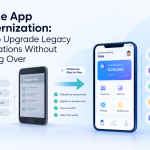

Many enterprise mobile applications were built when smartphones, cloud infrastructure, and business requirements looked very different from today.
Some applications still depend on outdated APIs, fragmented architectures, legacy authentication systems, or mobile interfaces that were never designed for AI-powered workflows.
Rebuilding everything from scratch is rarely practical.
For enterprise technology teams, mobile app modernization offers a way to improve the existing product while reducing the risk and cost of a complete replacement.
Why Enterprise Mobile Apps Need Modernization
A mobile application can continue functioning for years while quietly accumulating technical debt.
Common warning signs include:
- Slow release cycles
- Frequent crashes
- Outdated dependencies
- Difficult-to-maintain code
- Poor API performance
- Weak offline capabilities
- Inconsistent UX
- Limited analytics
- Security concerns
These issues become more expensive as user adoption increases.
Modernization gives organizations an opportunity to address the underlying architecture rather than repeatedly fixing individual problems.
Step 1: Audit the Existing Application
Before changing the technology stack, teams should understand the current system.
The audit should examine:
Mobile architecture
How are screens, business logic, data, and services connected?
Backend dependencies
Which APIs and databases does the application depend on?
Performance
Where do users experience delays, crashes, or excessive resource consumption?
Security
How are authentication, authorization, encryption, and sensitive data handled?
User experience
Which workflows create friction or generate abandonment?
This assessment creates a modernization baseline.
Step 2: Separate the Business Logic From the Interface
Legacy applications often contain business logic directly inside mobile screens.
That makes future development difficult.
A modern architecture should separate:
Presentation → Application Logic → Services → Data
This allows teams to change the interface without rebuilding core business functionality.
It also makes it easier to introduce new mobile platforms or experiences later.
Step 3: Modernize APIs
Mobile applications increasingly depend on a network of backend services.
Modernization may involve:
- API versioning
- Better authentication
- Improved response times
- Service decomposition
- Caching
- Rate limiting
- Observability
API modernization is particularly important when introducing AI capabilities because intelligent features often require additional data and service integrations.
Step 4: Introduce Offline Capability
Enterprise users cannot always depend on a stable connection.
Modern mobile architecture should determine which workflows need to continue when offline.
For example:
Field employee → Complete task → Save locally → Reconnect → Synchronize
The implementation must also account for conflicting updates.
Offline support therefore requires more than local storage. It requires carefully defined synchronization rules.
Step 5: Prepare the App for AI
AI should be introduced around valuable workflows rather than added as a generic chatbot.
Potential modernization opportunities include:
- Intelligent search
- Automated summaries
- Predictive recommendations
- Voice interfaces
- Document processing
- AI assistants
- Workflow automation
Teams should also decide whether AI processing happens:
- On the device
- In the cloud
- Through a hybrid architecture
Privacy, latency, model size, and connectivity all influence this decision.
Step 6: Modernize the UX
Modernizing the backend while keeping an outdated mobile experience can leave users with the same problems.
UX modernization should examine:
- Navigation
- Onboarding
- Accessibility
- Forms
- Search
- Notifications
- Personalization
- Mobile responsiveness
The goal is not simply to make the application look newer.
The goal is to make important workflows easier to complete.
Step 7: Strengthen Mobile Security
Modernization is an opportunity to revisit security architecture.
Enterprise teams should review:
- Authentication
- Authorization
- Token management
- Local data encryption
- API security
- Device security
- Session management
- Privacy controls
Security requirements should be considered alongside architecture rather than added after development.
Step 8: Establish Continuous Delivery
A modern mobile application should not depend on large, infrequent releases.
CI/CD can help teams automate:
- Builds
- Testing
- Code quality checks
- Security scans
- Release preparation
- Deployment workflows
Smaller releases also make it easier to identify and reverse problematic changes.
Step 9: Measure Before and After
Modernization needs measurable objectives.
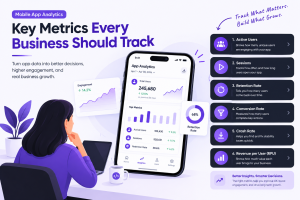
Useful benchmarks include:
| Area | Metrics to Track |
|---|---|
| Performance | Launch time, API latency |
| Reliability | Crash-free sessions |
| UX | Task completion time |
| Adoption | Active users, feature usage |
| Security | Vulnerabilities, failed authentication |
| Operations | Release frequency |
| Business | Conversion, productivity, workflow completion |
Without these measurements, modernization can become a technology upgrade without a clear business outcome.
Industry Perspective
Enterprise product engineering is increasingly treating mobile modernization as a combination of architecture, UX, cloud, AI, security, and DevOps rather than simply rewriting an old application. Companies such as GeekyAnts have publicly shared work spanning mobile and enterprise product engineering, reflecting this broader approach to building scalable digital platforms.
Conclusion
Mobile modernization does not have to mean throwing away everything that already works.
A more practical approach is to audit the existing system, isolate critical business logic, modernize APIs, improve UX, strengthen security, introduce AI selectively, and establish continuous delivery.
For enterprise leaders, modernization becomes most valuable when every technical change is connected to a measurable improvement in user experience, operational efficiency, or business performance.



Add Comment