



A mobile application can have excellent features and still fail to retain users if it feels slow.
Slow launches, delayed API responses, excessive battery consumption, crashes, and unresponsive screens can quickly damage the user experience.
For enterprise applications, performance problems can become even more expensive because thousands of employees or customers may depend on the application every day.
Mobile app performance optimization therefore needs to be treated as an ongoing engineering discipline rather than a final testing activity.
What Defines Mobile App Performance?
Mobile performance is broader than application speed.
Teams should consider:
- App launch time
- Screen rendering
- API latency
- Memory consumption
- Battery usage
- Network efficiency
- Crash rates
- Background processing
- Offline behavior
An application that opens quickly but consumes excessive battery or repeatedly fails on weak networks still has a performance problem.
Start With Real User Conditions
Development environments often have excellent network connections and modern devices.
Real users may have:
- Older smartphones
- Limited storage
- Weak networks
- Low battery
- Multiple applications running
- Unstable connectivity
Performance testing should therefore include realistic device and network conditions.
Testing only on high-end devices can create a misleading picture of application performance.
Optimize the Mobile Application Layer
The mobile client should avoid unnecessary work.
Common optimization opportunities include:
Reduce unnecessary rendering
Only update interface elements that actually change.
Optimize images
Large image assets can increase application size and memory usage.
Reduce unnecessary background processes
Continuous background activity can affect both performance and battery life.
Use efficient local storage
Frequently accessed information can be stored locally when appropriate.
These improvements can create noticeable gains without changing the application’s core functionality.
API Performance Matters Just as Much
A mobile application can be perfectly optimized and still feel slow if backend APIs take too long to respond.
Teams should monitor:
- API response time
- Request failures
- Timeout rates
- Payload size
- Concurrent requests
- Database performance
API responses should contain only the information required for the current workflow whenever possible.
Caching Can Improve the Experience
Caching can reduce repeated network requests and improve perceived speed.
Potentially useful approaches include:
- Local caching
- API response caching
- Image caching
- Preloading
- Background synchronization
However, cached information needs an appropriate expiration and invalidation strategy.
Showing outdated information can create a different type of product problem.
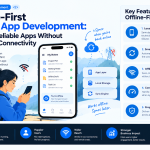
Offline-First Design
Performance and connectivity are closely connected.
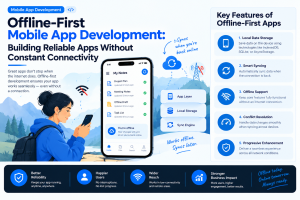
An offline-first mobile application can allow users to continue completing important workflows when the network is unavailable.
For example:
Complete task → Save locally → Reconnect → Synchronize
This approach is especially useful for:
- Field service
- Logistics
- Healthcare
- Manufacturing
- Retail
- Workforce management
The synchronization layer must also handle conflicts when information changes in multiple locations.
AI Can Introduce New Performance Challenges
AI-powered mobile applications require additional optimization.
AI features can increase:
- Network traffic
- Processing requirements
- Memory usage
- Battery consumption
- Response times
Teams should determine whether a particular AI capability should run on-device, in the cloud, or through a hybrid model.
Lightweight tasks may benefit from on-device processing, while complex models may require cloud infrastructure.
Monitor Performance After Launch
Performance optimization does not end when the application reaches the app store.
Production monitoring should track:
- Crash-free sessions
- App launch time
- API latency
- Screen rendering
- Memory usage
- Battery impact
- Network failures
- Feature-level performance
Real-world telemetry provides information that laboratory testing cannot fully reproduce.
Use Performance Budgets
Enterprise teams can establish measurable performance targets before development.
For example:
| Area | Performance Target |
|---|---|
| App launch | Defined maximum startup time |
| API calls | Maximum acceptable latency |
| Crash rate | Defined crash-free threshold |
| App size | Maximum release size |
| Memory | Defined device-specific limit |
| AI response | Target response window |
These targets give engineering teams measurable constraints instead of relying on subjective statements such as “the app feels slow.”
Performance Should Influence Architecture
Performance problems are sometimes symptoms of architectural decisions.
Poor service boundaries, excessive API calls, inefficient databases, unnecessary dependencies, and tightly coupled components can all create long-term performance issues.
This is why performance engineering should happen during architecture planning rather than only after development.
Industry Perspective
Enterprise mobile product engineering is increasingly bringing performance engineering, cloud infrastructure, AI, UX, security, and DevOps together. Companies such as GeekyAnts have publicly shared work across mobile and enterprise product development, reflecting the broader shift toward mobile applications that are expected to remain fast, secure, and scalable as usage grows.
Conclusion
Mobile performance is no longer just about making an application load faster.
It requires a complete approach covering mobile architecture, APIs, caching, network behavior, offline capabilities, AI processing, monitoring, and real-world device conditions.
For enterprise teams, the most effective strategy is to define performance targets early, measure them continuously, and optimize the areas that have the greatest impact on actual user workflows.



Add Comment