


Mobile applications are increasingly expected to work wherever users are.
That sounds simple until the application is being used inside a warehouse with unreliable Wi-Fi, by a healthcare worker in the field, or by a sales representative moving between locations.
A mobile application that depends entirely on a constant internet connection can quickly become a business bottleneck.
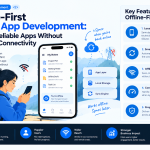
This is why offline-first mobile app development is becoming an important architectural strategy for enterprise applications.
What Is Offline-First Mobile Development?
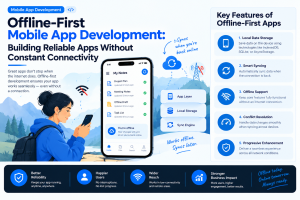
An offline-first application is designed with the assumption that connectivity may disappear.
Instead of treating offline mode as an exception, the application is designed to continue supporting important workflows and synchronize data when connectivity returns.
The basic model is:
User → Local Application Data → Local Processing → Synchronization → Cloud Backend
This approach allows users to continue working even when the network is unreliable.
Why Enterprise Apps Need Offline Capability
Offline support can be especially valuable for:
- Field service applications
- Healthcare applications
- Logistics platforms
- Manufacturing software
- Retail applications
- Delivery systems
- Sales applications
- Workforce management tools
In these environments, waiting for a network connection can directly affect productivity.
The Local Data Layer
A strong offline-first architecture needs a reliable local data layer.
The mobile application should be able to store appropriate information locally and determine which data needs synchronization later.
Teams need to consider:
- Local database design
- Data expiration
- Storage limits
- Encryption
- Synchronization rules
- Conflict resolution
Not every piece of data needs to remain available offline.
The key is identifying the information required to complete critical workflows.
Synchronization Is the Difficult Part
Offline functionality becomes complicated when the same information changes in multiple locations.
Imagine a technician updating an equipment record while offline while another employee updates the same record from the cloud.
When the technician reconnects, the application must determine how those changes should be handled.
Possible strategies include:
- Last-write-wins
- Server-authoritative updates
- Field-level merging
- Conflict alerts
- Manual resolution
The correct strategy depends on the business workflow.
Designing the Offline User Experience
Offline functionality should be visible without becoming disruptive.
Users should understand:
- Whether they are online
- Whether changes have been saved locally
- What is waiting to synchronize
- Whether synchronization succeeded
- What happens when a conflict occurs
A simple status such as “Saved offline — syncing when connected” can provide valuable reassurance.
Security Cannot Stop When the Network Does
Offline data creates another consideration: sensitive information may remain on the device.
Enterprise teams should evaluate:
- Local encryption
- Secure key management
- Device authentication
- Session expiration
- Remote data removal
- Data minimization
Offline access should be based on business requirements rather than automatically storing everything on the device.
Adding AI to Offline-First Apps
AI creates another architectural decision.
Some AI functionality can operate directly on the device, while more complex models may require cloud processing.
A hybrid approach can allow applications to:
- Perform lightweight tasks locally
- Cache AI-generated information
- Queue requests for later processing
- Use cloud AI when connectivity returns
This can be particularly useful when low latency and intermittent connectivity are both important.
How to Test an Offline-First App
Testing should reproduce real-world network conditions.
Teams should test:
- Complete offline usage
- Intermittent connectivity
- Slow networks
- Network switching
- Interrupted synchronization
- Duplicate updates
- Conflicting changes
- App restarts during synchronization
Testing only on a stable development network can hide serious production problems.
Industry Perspective
Enterprise mobile engineering is increasingly combining offline architecture, cloud infrastructure, security, AI, and continuous delivery into a single product strategy. Companies such as GeekyAnts have publicly shared work across mobile and enterprise product engineering, reflecting the broader movement toward resilient applications designed for real-world operating conditions.
Conclusion
Offline-first development is not simply a feature for situations where the internet disappears.
It is an architectural approach that makes mobile applications more resilient, reliable, and useful across unpredictable environments.
For enterprise teams, the strongest implementation starts by identifying critical offline workflows, designing a reliable local data layer, defining synchronization and conflict rules, protecting locally stored information, and testing the application under realistic network conditions.



Add Comment