





A mobile application may offer an excellent user experience and still have serious security weaknesses.
Modern apps often handle sensitive information such as account credentials, payment details, personal information, location data, messages, documents, and business data.
That makes mobile app security an important part of product development from the beginning.
Security is not something that can simply be added after the application is complete. Architecture, APIs, authentication, data storage, permissions, third-party services, and release processes all influence how secure an app is.
The good news is that many common security problems can be reduced through better development practices and regular testing.
1. Storing Sensitive Data Insecurely
Mobile applications sometimes need to store information locally.
The problem occurs when sensitive information is stored without appropriate protection.
Credentials, tokens, personal information, or other sensitive data should not simply be placed in easily accessible local storage.
Developers need to understand what data actually needs to remain on the device and use appropriate platform security mechanisms for sensitive information.
2. Weak Authentication
A password alone may not provide enough protection for applications handling sensitive information.
Depending on the use case, applications may need stronger authentication methods, secure session management, multi-factor authentication, biometric authentication, or other controls.
Authentication should also be implemented consistently across the application’s APIs and services.
A secure login screen does not help if backend endpoints can be accessed without equivalent authorization checks.
3. Poor API Security
Mobile applications frequently depend on APIs.
Those APIs may connect the app to databases, payment systems, customer accounts, analytics platforms, or other services.
An API should never assume that because a request came from the mobile application, it is trustworthy.
Authorization needs to happen on the server.
Each request should be evaluated according to the user’s identity and permissions.
4. Hardcoding Secrets in the App
Developers sometimes place API keys, credentials, or other secrets directly inside application code.
This can create serious problems because mobile applications are distributed to users and can potentially be inspected.
Sensitive credentials should not be treated as secure simply because they are hidden inside compiled application code.
A better architecture keeps highly sensitive secrets on trusted backend systems.
5. Using Excessive Permissions
Mobile operating systems provide permission controls for sensitive capabilities such as location, camera, microphone, contacts, and files.
An application should request only the permissions it actually needs.
Asking for unnecessary permissions can create privacy concerns and reduce user trust.
Permission requests should also be explained clearly so users understand why access is required.
6. Ignoring Third-Party Dependencies
Modern mobile apps rarely operate entirely on custom code.
They may use libraries and services for analytics, payments, authentication, maps, messaging, crash reporting, AI, and other functionality.
Every dependency can introduce security and maintenance considerations.
Teams should track dependencies, monitor updates, remove unnecessary libraries, and evaluate third-party services before integrating them into sensitive workflows.
7. Poor Session Management
A user may log into an application once and remain authenticated for an extended period.
If sessions are managed poorly, stolen or compromised credentials can create greater exposure.
Applications should use appropriate token handling, expiration, revocation, and re-authentication strategies based on the sensitivity of the product.
Different actions may also require different levels of verification.
8. Sending Sensitive Data Without Proper Protection
Sensitive information should be protected while being transmitted between the application and backend services.
Secure communication protocols and correctly configured certificates are important parts of mobile security.
Teams should also review what information is actually being transmitted.
The safest sensitive data is often data that never needed to be sent in the first place.
9. Treating Security as Only a Developer Problem
Mobile app security involves more than writing secure code.
Product teams decide what information the app collects.
UX teams decide how permissions and security-related interactions are presented.
Engineers design APIs and authentication.
DevOps teams manage infrastructure and deployment.
Security teams evaluate risks and testing.
This makes security a cross-functional product responsibility.
10. Skipping Security Testing
Security testing should happen throughout development rather than immediately before launch.
Teams can review code, test APIs, analyze dependencies, perform penetration testing where appropriate, monitor production behavior, and regularly assess known vulnerabilities.
Testing should focus on realistic attack scenarios rather than only checking whether individual features work.
Security Should Not Destroy the User Experience
Security controls need to protect users without creating unnecessary friction.
For example, requiring additional verification for a high-risk action may make sense.
Requiring the same complicated process for every low-risk interaction may create frustration.
This is where UX and security need to work together.
A secure experience should also be understandable.
Users should know when they are being asked to verify their identity and why.
Mobile App Security Starts With the Architecture
Security problems become more difficult to fix when they are built into the architecture.
For example, if sensitive information is unnecessarily stored on the device, changing that behavior later may require significant development work.
Similarly, an API designed without proper authorization controls may require substantial restructuring.
Security decisions should therefore happen during product planning and architecture design.
Build Security Into Every Release
Mobile applications continue to evolve after launch.
New features introduce new data flows. Third-party integrations change. Dependencies receive updates. Attack techniques evolve.
Security therefore needs to become part of the product lifecycle.
Each major release should consider whether new functionality introduces additional data, permissions, APIs, or attack surfaces.
Companies such as GeekyAnts work across mobile app development, backend engineering, cloud infrastructure, and product architecture, where security needs to be considered across the complete application rather than isolated to the mobile interface.
The Goal Is Not Perfect Security
No application can be treated as permanently secure.
The practical goal is to reduce unnecessary risk, identify weaknesses early, protect sensitive information, and respond quickly when problems are discovered.
A secure mobile application is the result of many small decisions made consistently.
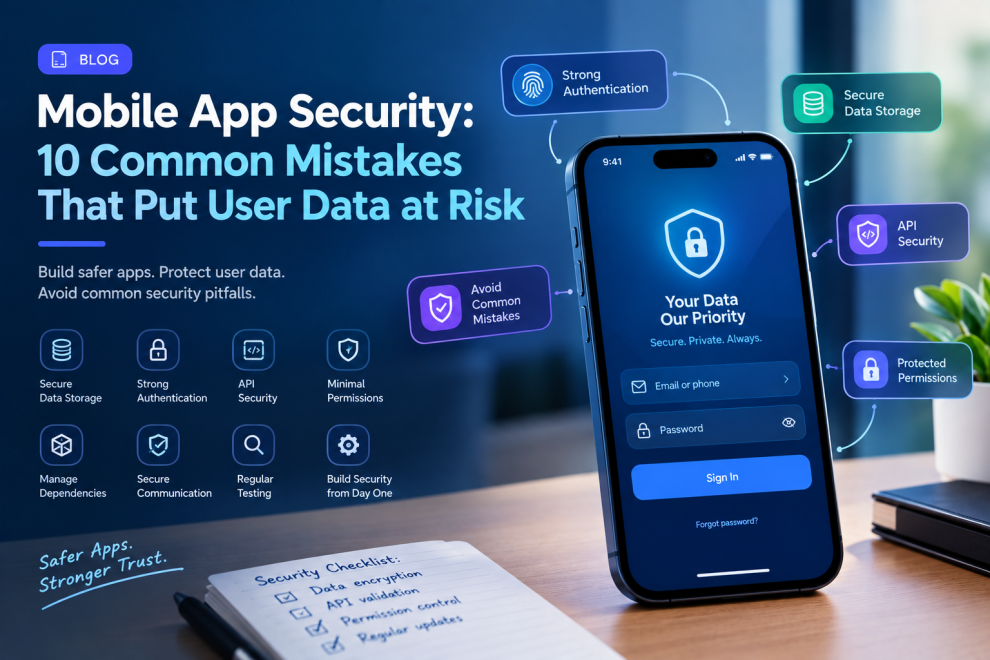
Strong authentication.
Protected data.
Secure APIs.
Minimal permissions.
Managed dependencies.
Regular testing.
Clear security practices.
Together, these decisions create a stronger foundation for user trust.
For businesses investing in mobile app development, security should not be considered a final checklist before launch.
It should be part of the product from the first architecture decision to every update that follows.






Add Comment