





Getting someone to download a mobile app is only the beginning.
The harder challenge is giving that user a reason to keep it.
An app can attract thousands of downloads and still struggle with retention if users encounter confusing onboarding, slow performance, unnecessary notifications, unreliable features, or a weak reason to return.
This makes retention an important part of mobile app development strategy. Instead of asking only how to get more downloads, product teams should also ask why users stop opening the app.
1. The App Does Not Deliver Value Quickly
Users typically form an opinion about an app early.
If the first experience does not help them understand what the app does or how it solves their problem, they may leave before discovering its more useful features.
The first session should therefore focus on reaching the user’s primary goal rather than showing every available feature.
2. Onboarding Is Too Long
Long onboarding sequences can delay the moment when users experience actual value.
Asking users to create a profile, select multiple preferences, watch tutorials, grant permissions, and complete several setup screens before they can use the product creates unnecessary friction.
A better approach is progressive onboarding.
Collect only the information needed initially and request additional details when they become relevant.
3. The App Is Slow
Performance directly influences perception.
Slow startup, delayed screen transitions, laggy interactions, and long-loading content can make an otherwise useful application feel unreliable.
Performance optimization should therefore begin during development rather than being treated as a final-stage activity.
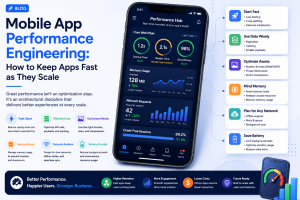
Teams should monitor startup time, API response times, rendering performance, memory usage, crashes, and network behavior.
4. Notifications Become Annoying
Notifications can bring users back to an app, but excessive notifications can produce the opposite result.
Repeated promotional messages, irrelevant reminders, or poorly timed alerts can make users disable notifications or uninstall the app.
Notifications should have a clear purpose.
Users should also have meaningful control over what they receive.
5. The App Makes Simple Tasks Difficult
Users do not necessarily judge an application by how many features it contains.
They judge whether they can accomplish what they need.
A banking app should make payments straightforward. A shopping app should make product discovery and checkout easy. A healthcare app should simplify appointments and relevant information.
If basic tasks require too many screens or unclear interactions, users may search for alternatives.
6. The App Feels Unreliable
Crashes are an obvious problem, but reliability goes beyond crashes.
Failed payments, broken links, incomplete uploads, missing data, synchronization problems, and inconsistent states can all reduce confidence.
A user may forgive an occasional visual bug. They are much less likely to tolerate an application that repeatedly fails when something important needs to be completed.
7. Search and Navigation Do Not Match User Behavior
As apps grow, navigation can become complicated.
Users may struggle to find previously used features because the product architecture reflects how the company organizes its services rather than how customers think about them.
Search can help, but only when it is designed around real user terminology.
Teams should observe how people actually look for features instead of assuming that internal product names are intuitive.
8. Personalization Feels Either Missing or Intrusive
Users increasingly expect digital experiences to recognize context.
However, personalization should be useful rather than excessive.
Remembering recent activity, suggesting relevant content, preserving preferences, or surfacing frequently used actions can reduce effort.
On the other hand, requesting excessive personal information or making assumptions users cannot control can damage trust.
Good personalization gives users convenience without making the experience feel invasive.
9. Security Creates Friction Without Explaining Why
Security is essential, particularly for finance, healthcare, commerce, and enterprise applications.
But poorly designed security flows can frustrate users.
Repeated authentication prompts, unclear verification requirements, confusing permission requests, and unexpected session expirations can interrupt important journeys.
The objective should be secure usability: protecting sensitive actions while keeping the reason for security controls understandable.
10. There Is No Reason to Come Back
Even a well-designed app may struggle with retention if it does not provide recurring value.
Before adding loyalty points, badges, or notifications, product teams should understand the natural reason users would return.
That might be new content, ongoing transactions, changing information, collaboration, monitoring, communication, or a frequently needed service.
Retention should emerge from product value rather than artificial engagement tactics.
How to Find Out Why Users Are Leaving
Retention problems should be investigated with evidence.
Teams can examine uninstall patterns, retention cohorts, crash data, support tickets, session recordings, funnel abandonment, reviews, and user interviews.
Different patterns point toward different problems.
If users disappear immediately, onboarding or first-use value may be the issue. If they return several times and then leave, the problem may involve reliability, missing features, poor performance, or insufficient recurring value.
This makes retention analysis more useful than simply looking at total downloads.
Build for Continued Use, Not Just Downloads
Mobile app development is often measured by launch milestones: release the MVP, reach a download target, add features, or enter a new market.
But long-term success depends on what happens after installation.
The strongest mobile products make the core task easy, perform consistently, earn user trust, and provide enough ongoing value to justify another session.
Companies such as GeekyAnts work across mobile product engineering and technology stacks where these considerations become part of the product-development process rather than being addressed only after launch.
The question is therefore not simply “How do we get users to download our app?”
It is:
“What makes the app useful enough for users to keep?”
That shift can change how teams prioritize onboarding, UX, performance, notifications, security, analytics, and future features.



Add Comment