

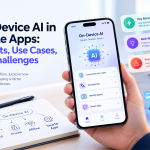


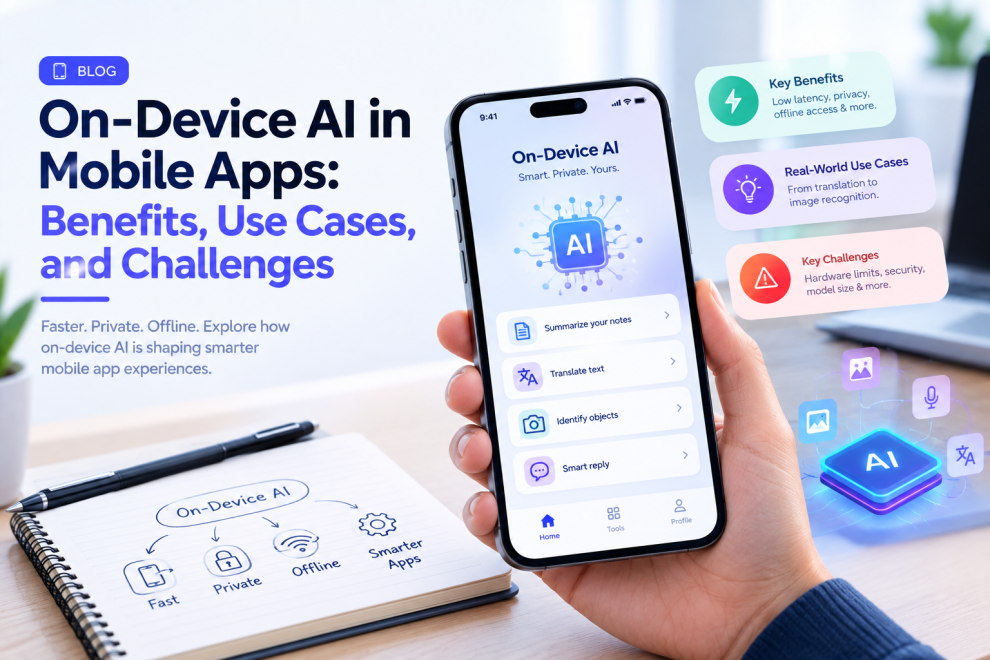

Artificial intelligence in mobile applications has traditionally depended heavily on cloud-based models.
A user sends information to a server, the AI processes it, and the result is returned to the device.
That model remains useful for many applications.
But mobile devices are becoming increasingly capable of running AI workloads locally.
This is driving interest in on-device AI, where some AI processing happens directly on the smartphone or tablet instead of relying entirely on cloud infrastructure.
Current 2026 mobile development coverage identifies on-device AI as one of the major shifts in app development, particularly for use cases involving privacy, latency, offline functionality, and personalized experiences.
What Is On-Device AI?
On-device AI means running an AI model or AI-powered computation directly on the user’s device.
Instead of sending every request to a remote server, the device can process certain tasks locally.
For example, a mobile app might use on-device AI for:
- Text summarization
- Smart replies
- Image recognition
- Speech processing
- Translation
- Personalization
- Content classification
- Offline assistance
The exact capabilities depend on the device hardware, operating system, model, and application.
1. Faster AI Responses
Cloud-based AI requires communication between the device and a remote server.
That introduces network latency.
When an appropriate model runs locally, the application can potentially respond faster because the request does not need to travel to a remote service.
This can be especially useful for interactive experiences.
Examples include voice commands, image processing, text suggestions, and real-time assistance.
2. Better Offline Experiences
One of the biggest advantages of on-device AI is that some features can continue working without an internet connection.
Imagine a translation application being used while traveling in an area with poor connectivity.
Or a note-taking application that can summarize recently created content while the device is offline.
On-device processing can make selected AI features more resilient.
However, offline capability depends on the specific model and functionality. Not every AI workload can realistically run locally.
3. Greater Privacy for Certain Use Cases
Data processed entirely on the device does not necessarily need to be sent to a cloud AI service.
This can be valuable for applications handling sensitive information.
Examples could include:
- Personal notes
- Private documents
- Voice recordings
- Photos
- Personal preferences
- Sensitive business information
However, on-device AI does not automatically make an application private.
Developers still need to examine analytics, storage, synchronization, logging, permissions, and other data flows.
4. Lower Cloud AI Costs for Some Workloads
Cloud AI can involve ongoing inference costs.
If a suitable task can be handled locally, the application may reduce the number of requests sent to remote AI services.
This can change the economics of high-volume AI features.
But developers also need to consider the cost of distributing models, device capabilities, battery usage, application size, and engineering complexity.
On-device AI is therefore not automatically cheaper in every situation.
5. Personalization Can Happen Locally
Some personalization tasks can potentially happen on the device.
For example, an application might learn which content a user frequently interacts with or which actions they use most often.
Keeping some processing local can reduce the need to send detailed behavioral information to a server.
This can be useful for privacy-conscious product experiences.
6. On-Device AI Has Hardware Limits
A smartphone is not a cloud data center.
Mobile devices have constraints involving:
- Memory
- Storage
- Battery
- Processing power
- Thermal limits
Large AI models may therefore be impractical to run locally.
Developers often need to optimize models or choose smaller models designed for mobile environments.
This makes model selection an important engineering decision.
7. Hybrid AI May Be the Practical Approach
Businesses do not always need to choose between cloud AI and on-device AI.
A hybrid architecture can use both.
For example:
On-device AI: quick, private, frequently used tasks
Cloud AI: complex reasoning, large models, enterprise data, or heavy workloads
This allows developers to choose where each task should run.
Current mobile-development research increasingly describes hybrid AI as a practical pattern because it balances latency, privacy, capability, and infrastructure requirements.
8. On-Device AI Can Improve User Experience
The technology matters because it can change the experience.
Consider a writing application.
A user types a sentence and receives an immediate suggestion.
Or consider a camera application that identifies objects directly on the device.
Or a productivity app that summarizes notes without uploading them.
The user may never care where the AI runs.
They simply experience a faster and more responsive application.
9. Security Still Matters
Running AI locally does not eliminate security concerns.
Mobile applications still need to protect:
- User accounts
- Application data
- Authentication tokens
- APIs
- Local storage
- Model files
- Sensitive permissions
Developers should also consider whether models themselves contain sensitive information or intellectual property.
Security needs to cover the complete mobile architecture.
10. Choose AI Based on the Use Case
Not every AI feature belongs on the device.
Before implementing on-device AI, teams should ask:
Does this feature need to work offline?
Is low latency important?
Is the information sensitive?
Can a small model provide sufficient quality?
Can the target devices handle the workload?
Would cloud processing provide significantly better results?
The answers will determine whether on-device, cloud, or hybrid AI makes the most sense.
Examples of On-Device AI Use Cases
Several mobile experiences can benefit from local AI.
Smart Text Features
Writing suggestions, rewriting, summarization, and classification can sometimes be performed locally.
Image Intelligence
Apps can use local models for image classification, enhancement, or object-related features.
Voice Features
Speech-related functionality can benefit from local processing when latency and privacy are important.
Personalized Experiences
Some recommendations or behavioral adaptations can potentially happen without continuously sending user activity to a server.
Offline Assistance
Applications can provide selected AI capabilities even when connectivity is limited.
The appropriate architecture depends on the complexity and sensitivity of the task.
How Developers Should Approach On-Device AI
The first step should not be selecting a model.
Start with the user problem.
For example:
Problem: Users need instant summaries of short notes.
Then determine whether a local model can provide the required quality within acceptable memory and battery constraints.
Test it on realistic devices.
Measure response time, accuracy, battery impact, memory consumption, and user satisfaction.
Only then should the team decide whether local AI belongs in the production architecture.
On-Device AI and Cross-Platform Development
Cross-platform frameworks remain important for mobile teams.
Current 2026 industry coverage describes Flutter, React Native, and Kotlin Multiplatform as mature options, while noting that the choice becomes more nuanced when applications depend heavily on platform-specific AI or hardware capabilities.
A practical architecture may therefore combine shared application logic with native modules where deeper device-level access is necessary.
The goal is not to choose technology based on popularity.
It is to choose the architecture that fits the product’s actual requirements.
What On-Device AI Means for the Future of Mobile Apps
The bigger shift is that mobile devices are becoming more capable computing environments.
Apps no longer have to send every intelligent operation to a remote server.
Some decisions can happen locally, some in the cloud, and some through a combination of both.
That gives product teams more options for designing experiences around speed, privacy, personalization, and offline capability.
Companies such as GeekyAnts work across mobile app development and AI-powered product engineering, where these decisions can involve the mobile interface, AI architecture, backend services, APIs, and infrastructure together.
On-device AI is not a solution for every mobile application.
But when a product needs low latency, privacy, offline capability, or local personalization, it can become an important part of the architecture.
The most useful question is not:
“Can we put AI on the device?”
It is:
“Which part of this user experience becomes meaningfully better when AI runs on the device?”



Add Comment