


Mobile app testing has become significantly more complex.
Applications now need to work across different devices, operating systems, network conditions, screen sizes, security environments, and third-party services.
AI-powered features add another layer of complexity because their outputs may not always be deterministic.
For enterprise teams, testing therefore needs to move beyond checking whether a button works.
The objective is to verify that the entire mobile product remains reliable under realistic conditions.
Why Mobile Testing Is Getting Harder
A modern mobile application can include:
- Native or cross-platform code
- Cloud APIs
- Payment systems
- Authentication services
- Analytics
- Push notifications
- AI services
- Offline storage
- Third-party SDKs
A problem in any one component can affect the user experience.
Testing needs to account for these dependencies rather than treating the mobile application as an isolated piece of software.
Start With Critical User Journeys
Not every feature needs the same testing priority.
Teams should first identify workflows that have the greatest business impact.
Examples include:
- Registration
- Login
- Payments
- Checkout
- Account management
- Order processing
- Healthcare workflows
- Enterprise approvals
These workflows should receive comprehensive testing across supported devices and conditions.
Functional Testing Is Only the Foundation
Functional testing confirms that features behave as expected.
But production quality also requires testing:
Performance
Does the application remain responsive?
Security
Can unauthorized users access protected information?
Compatibility
Does the application behave consistently across supported devices?
Accessibility
Can users with different abilities complete important workflows?
Reliability
Does the application recover correctly from failures?
These dimensions should be tested together.
Test Real Network Conditions
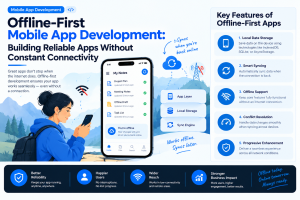
Many mobile problems only appear outside a fast Wi-Fi connection.
Testing should include:
- Slow networks
- High latency
- Intermittent connectivity
- Complete network loss
- Network switching
- Interrupted downloads
- Failed API requests
For offline-capable applications, teams should also test synchronization after the connection returns.
Device Fragmentation Matters
Enterprise applications may be used on a wide variety of hardware.
Testing should consider:
- Different screen sizes
- Different OS versions
- Older devices
- Different memory capacities
- Various processors
- Tablets where supported
A feature that works perfectly on a new flagship phone may perform poorly on an older enterprise device.
Device testing should therefore be based on the actual user population rather than only the latest hardware.
AI Features Need Specialized Testing
AI-powered mobile applications require additional validation.
Teams may need to evaluate:
- Response accuracy
- Unexpected inputs
- Incorrect outputs
- Prompt manipulation
- Response latency
- Data privacy
- Model failures
- Inconsistent results
For example, an AI assistant that generates customer-facing information may require human evaluation in addition to automated tests.
The testing strategy should reflect the potential impact of incorrect AI output.
Automation Can Improve Release Velocity
Automated testing is particularly valuable for frequently updated mobile applications.
Teams can automate:
- Unit tests
- API tests
- UI tests
- Regression testing
- Build verification
- Security checks
A typical pipeline can follow:
Code → Automated tests → Build → Security checks → Release candidate → Device testing → Deployment
This reduces the amount of repetitive manual testing required for every release.
Test Failure Recovery
A production-ready application should not only work when everything goes correctly.
It should also recover when something goes wrong.
Teams should test scenarios such as:
- API failure
- Expired authentication
- App termination
- Interrupted upload
- Failed payment
- Database synchronization conflict
- Network disconnection
Good error handling can turn a technical failure into a manageable user experience.
Security Testing Should Be Continuous
Mobile security testing should cover both the application and its connected infrastructure.
Teams should evaluate:
- Authentication
- Authorization
- API security
- Local storage
- Encryption
- Session management
- Third-party SDKs
- Sensitive data exposure
Security testing should be integrated into development and deployment rather than performed only before launch.
Measure Quality After Release
Testing does not end when the application reaches the app store.
Production monitoring can reveal issues that controlled environments miss.
Useful metrics include:
- Crash-free sessions
- App startup time
- API failure rate
- Network errors
- User abandonment
- Support tickets
- Feature-level failures
These signals can feed directly into the next development cycle.
Build a Risk-Based Testing Strategy
Not every feature deserves the same testing effort.
A practical approach is to prioritize based on:
Business impact × User impact × Technical risk
A payment workflow may require extensive testing.
A minor visual change may require considerably less.
This allows teams to use testing resources where they provide the greatest value.
Industry Perspective
Modern mobile product engineering increasingly combines automated testing, DevOps, security, cloud infrastructure, AI validation, and UX quality. Companies such as GeekyAnts have publicly shared work around mobile and enterprise product engineering, reflecting the broader shift toward treating quality as an ongoing engineering responsibility rather than a final development phase.
Conclusion
Production-ready mobile applications require more than functional testing.
Enterprise teams need to evaluate performance, compatibility, security, accessibility, network conditions, AI behavior, failure recovery, and real-world device usage.
The strongest testing strategy is continuous and risk-based.
Instead of asking only “Does the feature work?”, teams should ask:
“Will this feature continue to work reliably when real users, real devices, real networks, and real failures are involved?”



Add Comment