


Push notifications can bring users back to a mobile application, but they can also become one of the fastest ways to make users ignore or uninstall it.
The problem is rarely the technology itself.
The real challenge is deciding what deserves a notification, when it should arrive, and how much control the user should have.
For modern mobile applications, notification strategy should therefore be treated as part of product design rather than simply a messaging feature.
Not Every Event Needs a Notification
Applications can generate hundreds of potential events.
A user might trigger:
- A new message
- A status update
- A recommendation
- A promotional event
- A system alert
- A workflow change
- A reminder
Sending notifications for all of them creates noise.
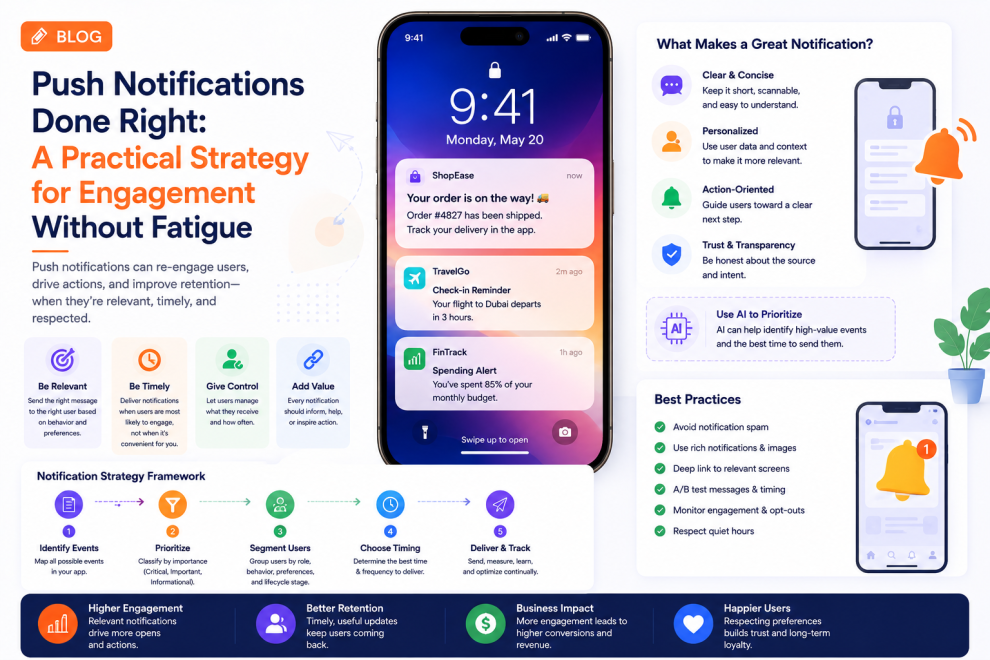
A better approach is to classify events according to their importance.
Critical
Immediate action may be required.
Important
The user should know about it but does not necessarily need to respond immediately.
Informational
The information can usually wait until the user opens the application.
This classification creates the foundation for a better notification strategy.
Timing Matters as Much as Content
A useful notification delivered at the wrong time can still create a poor experience.
Mobile applications should consider:
- User activity
- Time zones
- Local time
- Recent interactions
- Notification frequency
- Previous engagement
For example, sending a work-related notification late at night may create frustration even if the information itself is relevant.
Personalization Can Reduce Notification Noise
The same notification does not have equal value for every user.
An enterprise workforce application might notify an operations manager about a major workflow issue while sending a different notification to the employee responsible for resolving it.
Personalization can therefore be based on:
- User role
- Preferences
- Current tasks
- Previous activity
- Notification history
- Business priority
The objective is to send fewer, more relevant notifications.
Give Users Control
Notification settings should not be hidden.
Users should be able to control categories such as:
- Messages
- Account activity
- Reminders
- Recommendations
- Marketing
- Security
- Operational alerts
This is particularly important for applications that generate large amounts of activity.
Users should feel that notifications are working for them rather than competing for their attention.
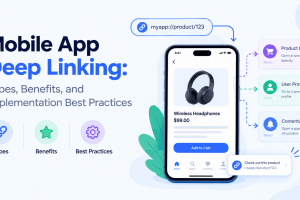
Deep Linking Improves the Experience
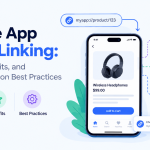
A notification should lead somewhere useful.
Consider the difference between:
“You have a new approval request.”
and:
“Expense report #482 needs your approval.”
The second notification provides context and can take the user directly to the relevant approval screen.
Deep linking reduces unnecessary navigation and makes notifications part of the workflow.
Notification Architecture Matters
Behind the interface, notification systems need to handle significant operational complexity.
A typical architecture might involve:
Application event → Notification service → User preferences → Delivery provider → Mobile device
The system should also account for:
- Failed deliveries
- Duplicate notifications
- Expired notifications
- Device changes
- Token management
- User preferences
- Retry logic
For large applications, notifications should not depend entirely on the primary application server.
Real-Time Does Not Always Mean Instant
Some events genuinely require immediate delivery.
Others do not.
For less urgent information, batching can provide a better experience.
Instead of sending:
5 separate notifications
the system could provide:
“5 updates are available.”
This reduces interruption while preserving the information.
AI Can Improve Notification Relevance
AI can potentially help determine which events are important enough to surface.
For example, an enterprise application could identify unusual activity and generate an alert when something requires attention.
But AI-generated notifications should be carefully controlled.
Users should understand:
- What triggered the alert
- Why it matters
- What action is recommended
- Where the underlying information came from
An unexplained AI alert can quickly become another form of notification noise.
Security Notifications Need Special Treatment
Security-related notifications are different from engagement notifications.
Events such as:
- New login
- Password changes
- Suspicious activity
- Account recovery
- Permission changes
may require immediate communication.
These notifications should be clearly distinguished from marketing or general product updates.
Measure More Than Open Rates
A high notification open rate does not automatically mean the strategy is successful.
Teams should also measure:
- Notification opt-out rates
- App uninstall rates
- Conversion after notification
- Task completion
- Notification frequency
- Time to action
- User engagement over time
If open rates increase while users increasingly disable notifications, the strategy may be creating long-term damage.
Build a Notification Governance Model
Large organizations may have multiple teams sending notifications.
Without governance, users can receive messages from different product areas throughout the day.
A centralized notification strategy can establish:
- Priority levels
- Frequency limits
- Message guidelines
- User preference rules
- Quiet periods
- Emergency notification rules
This keeps the overall experience consistent.
Industry Perspective
Mobile product engineering is increasingly connecting notification systems with analytics, personalization, AI, backend architecture, and UX rather than treating push notifications as an isolated feature. Companies such as GeekyAnts have publicly shared work across mobile and enterprise product engineering, reflecting the wider movement toward more contextual and workflow-driven mobile experiences.
Conclusion
Push notifications should not be measured by how many messages an application can send.
They should be measured by how effectively they help users take the right action without creating unnecessary interruptions.
The strongest mobile applications use relevance, timing, personalization, deep linking, user controls, and clear notification governance to turn notifications into useful product interactions rather than background noise.



Add Comment